Personal Product
Outreach CRM
Desktop CRM (Electron, macOS and Windows) for cold outreach and job-application campaigns: personalized batches sent from your own Gmail or any SMTP/IMAP mailbox, replies read back and triaged by a calibrated decision model (Jev, Laya), a mail-client inbox, a browser extension that fills application forms from your profile, and an MCP server through which any AI client can do everything the screens do.
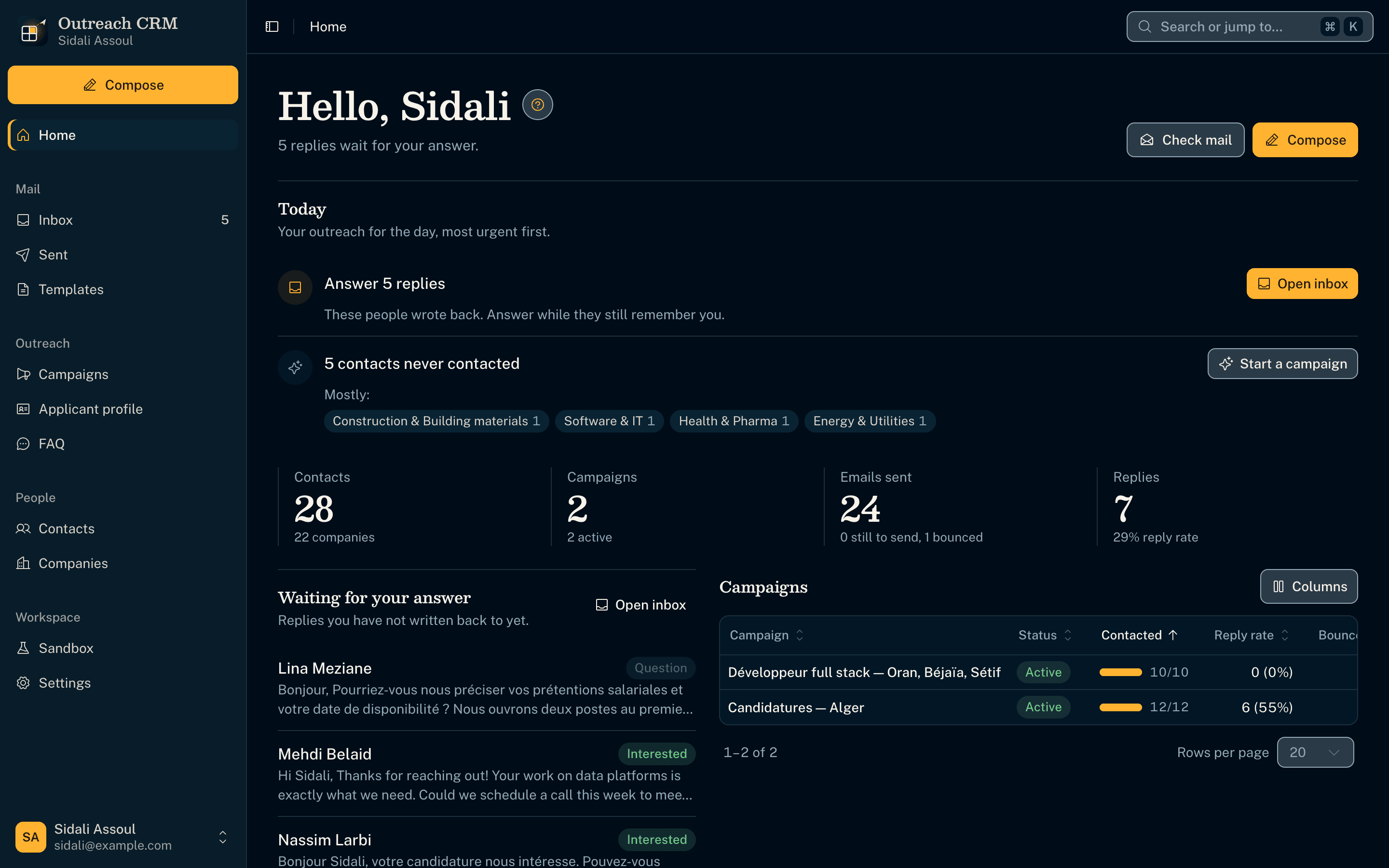
A batch you can watch
- Each recipient travels the campaign live: picked, personalized, sent, recorded, reported.
- Batches leave from the user's own Gmail (Google sign-in) or any SMTP/IMAP mailbox, at a daily pace they set.
- The same flow then reads the mailbox back for replies and bounces and hands new replies to the AI.
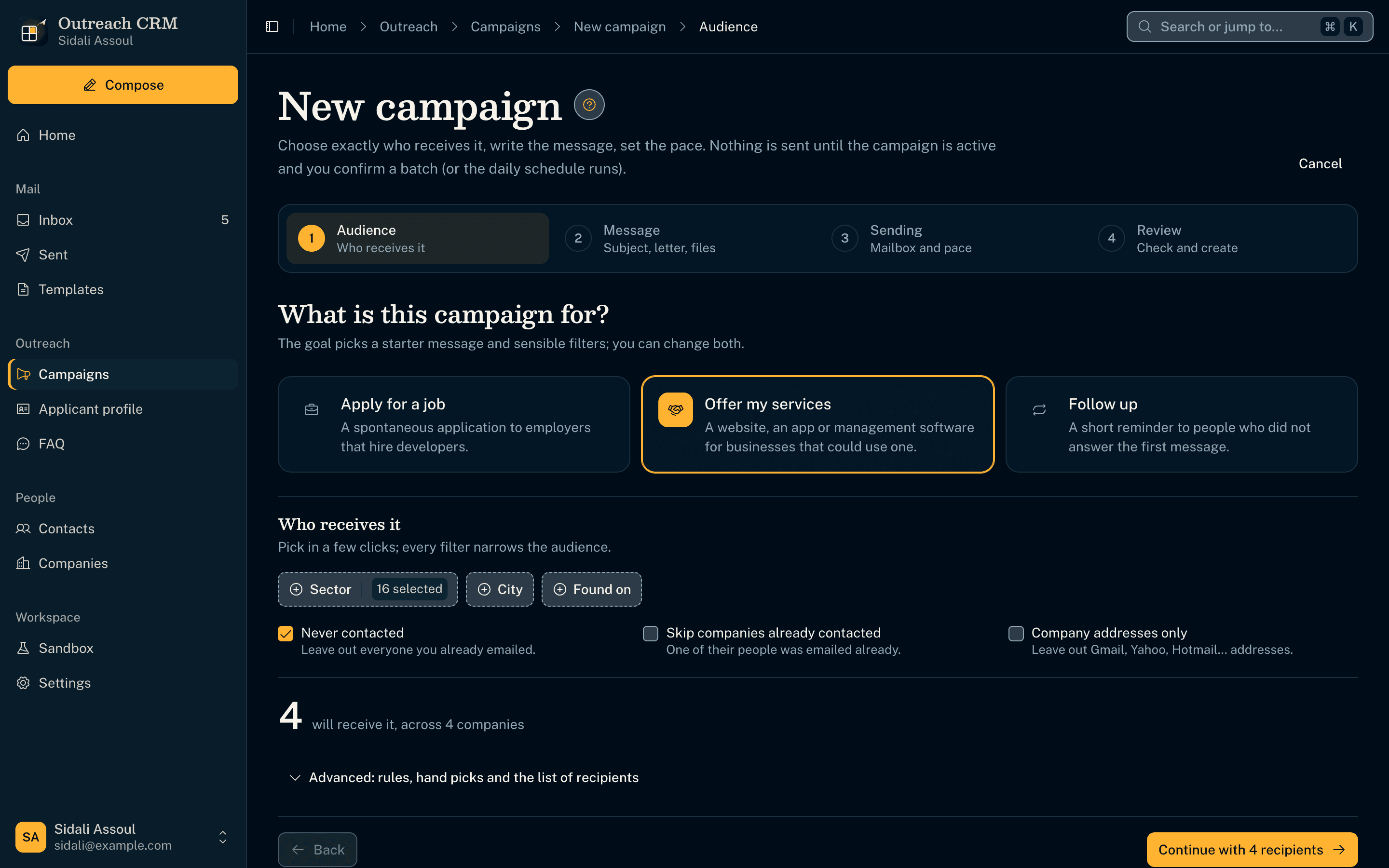
A campaign, set up step by step
- A checklist walks through the audience, the message, the mailbox and the schedule before anything leaves.
- The audience is a snapshot of the contacts at launch, so a later import never changes who was written to.
- Placeholders like {{Company Name}} are filled per recipient; any custom one is asked for before sending.
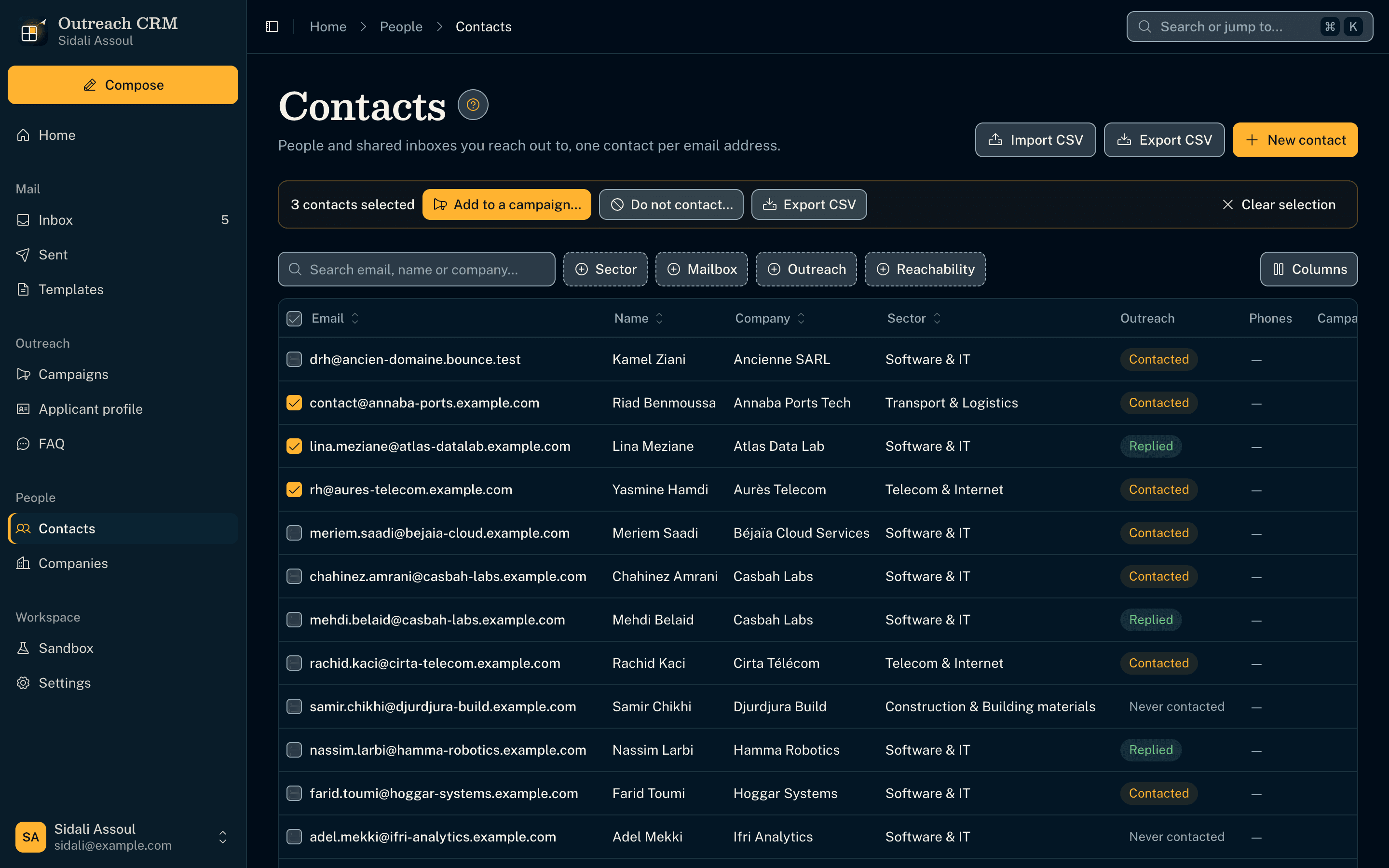
Contacts that stay clean
- A contact is its email address: CSV imports merge instead of duplicating.
- Every list is a table sorted and paged in the database, with search, faceted filters and bulk actions.
- Do-not-contact flags and the full timeline of each person travel with them into every campaign.
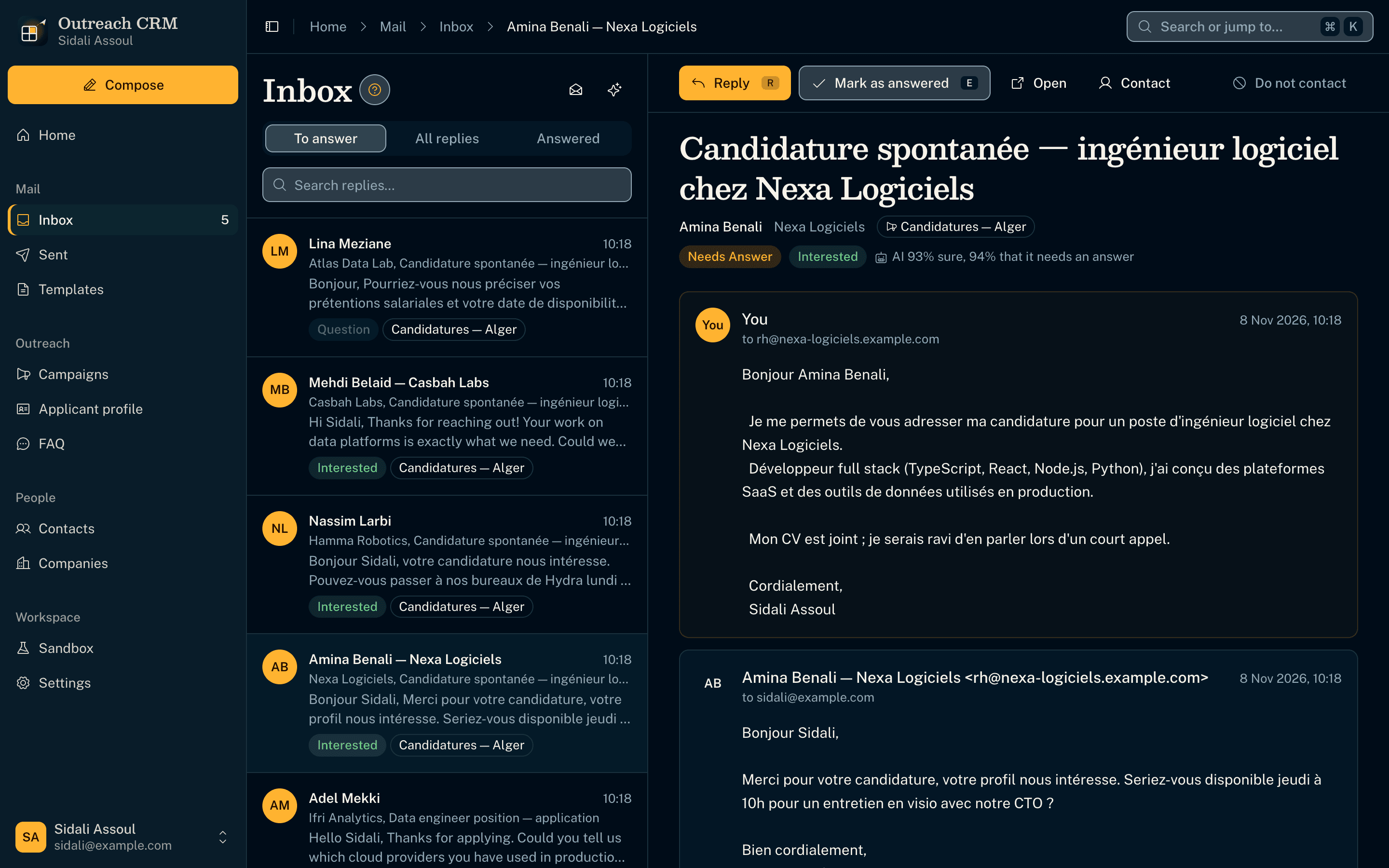
An inbox the AI has already read
- Replies are triaged as interested, question, auto-reply or not interested, with how sure the AI is.
- Decisions come from a calibrated decision model (Jev via OpenRouter, or Laya running free on the computer): probabilities in one pass, not a chat reply.
- The AI is advisory only; it never changes a status by itself, and every AI action checks the AI is reachable first.
Replies like a mail client
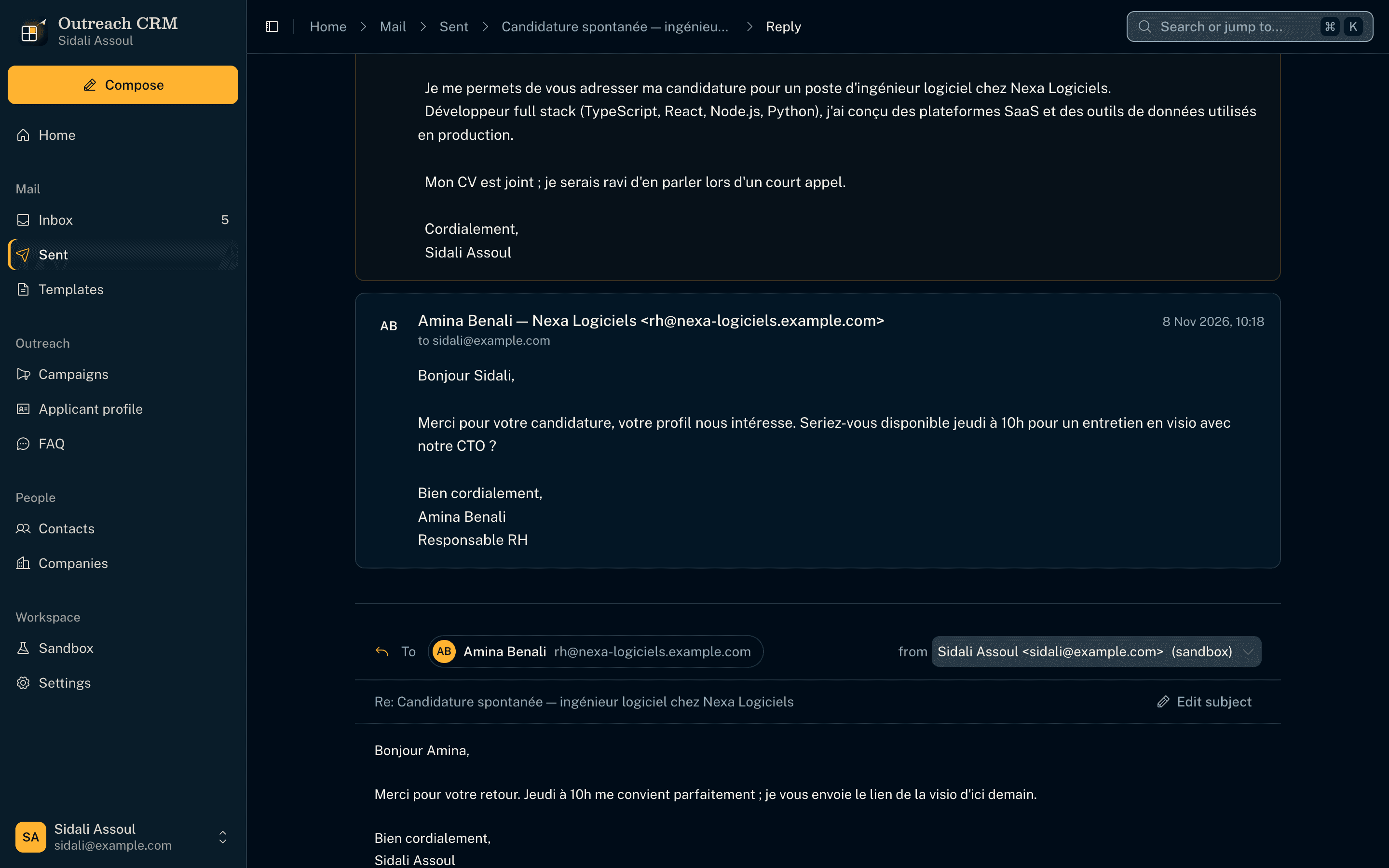
- The thread sits above the editor; the person is a chip; their words are folded behind ••• and still quoted when it leaves.
- The reply goes from the same mailbox in the same thread, and counts as answered at the next mail check.
- Keyboard first: R replies, E marks answered, J and K move through the list.
Single emails, previewed as received
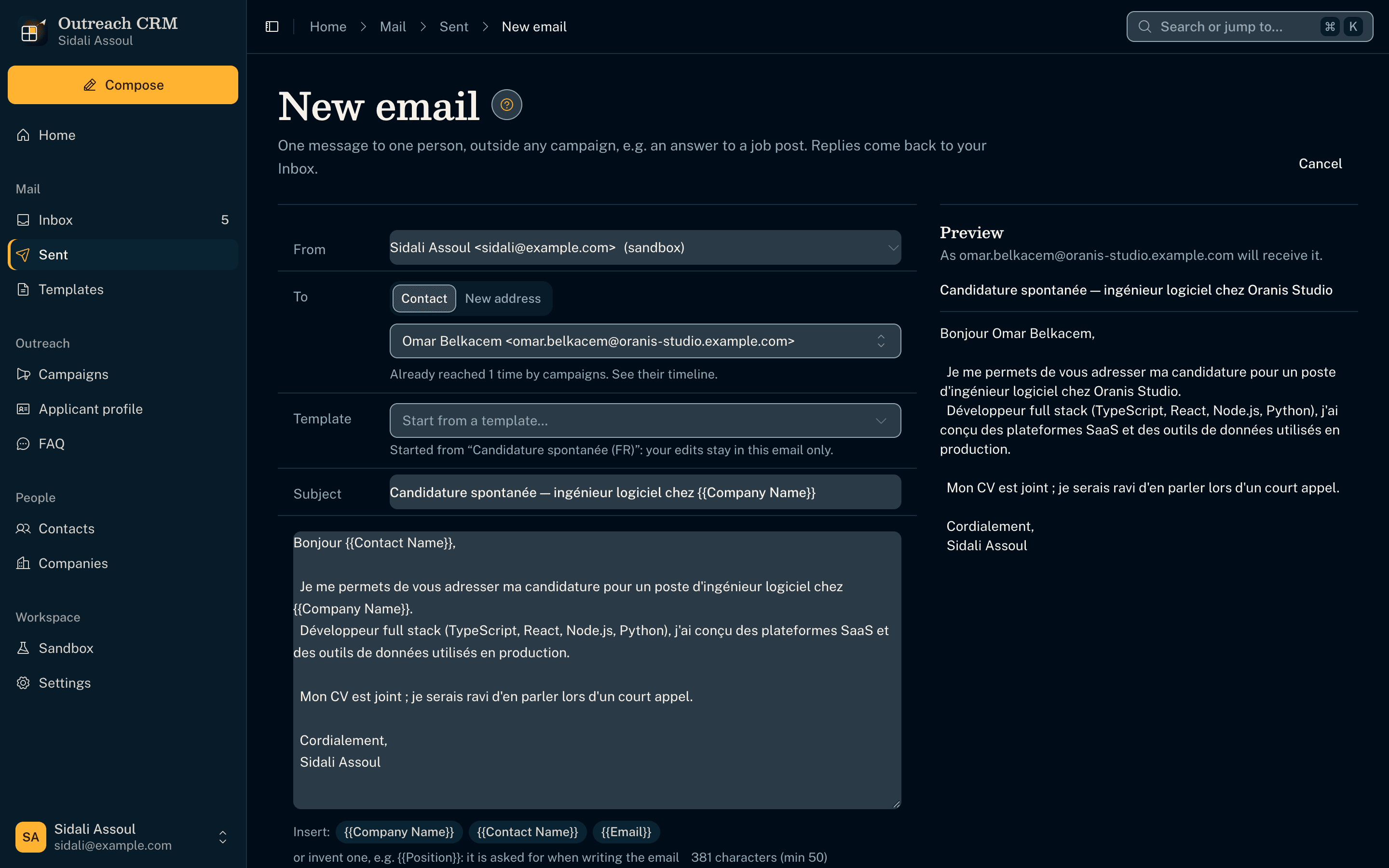
- One-off emails outside any campaign, started from a template or from scratch, with PDF attachments.
- The preview shows the message exactly as the recipient will read it, placeholders filled.
- Any email can be saved back as a template.
Forms filled from one profile
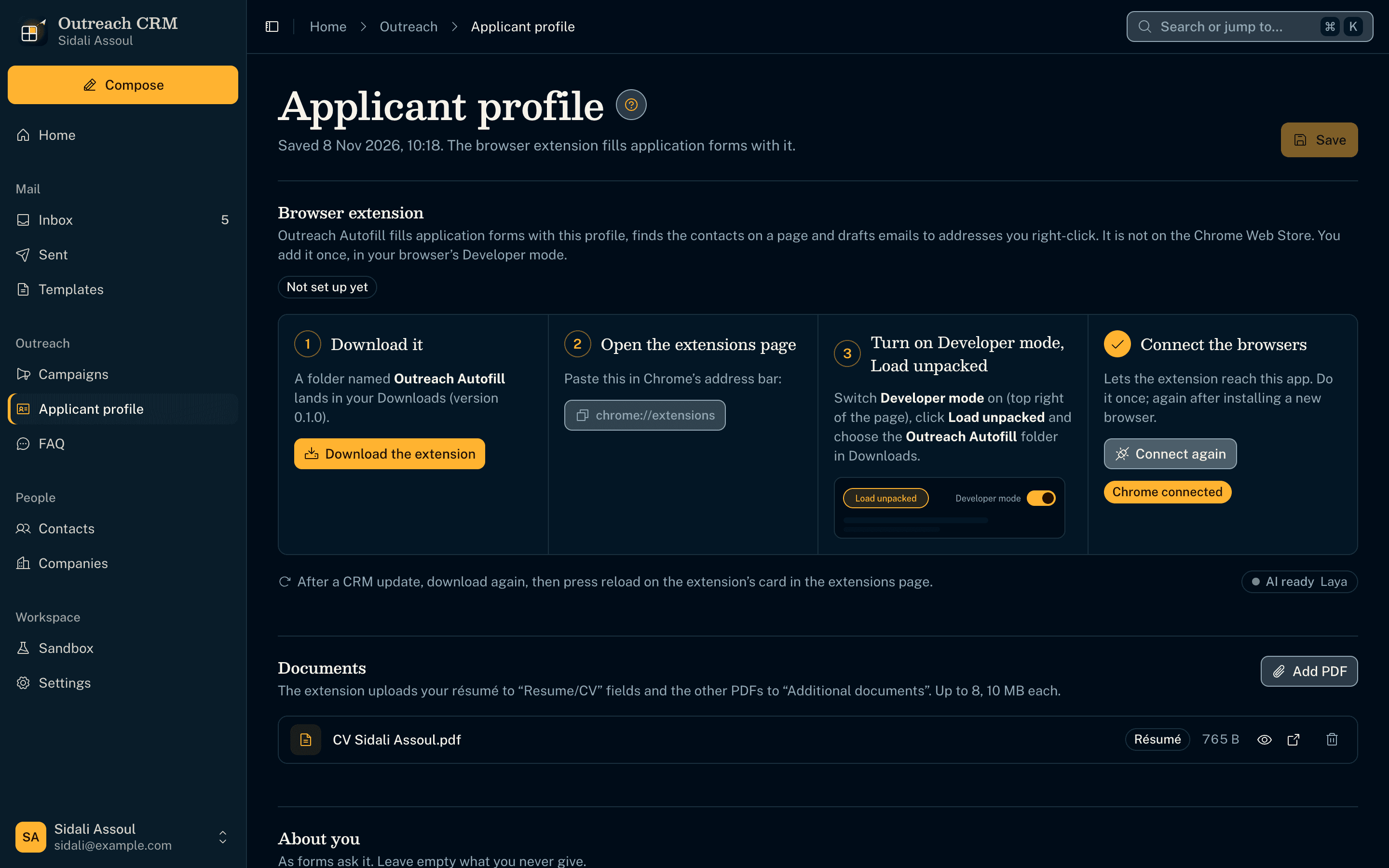
- A companion browser extension (Chrome, Edge, Brave, Arc, Vivaldi) fills job application forms from the applicant profile and uploads the résumé.
- The app ships the extension and walks through Developer mode › Load unpacked, ticking each step off as it sees it done.
- The extension reaches the app through native messaging, from the active profile only.
Laya fills the application form
- The extension's floating button opens a panel; Fill with AI fills the form from the applicant profile and attaches the résumé.
- Laya, the decision model running free on the computer through Ollaya, picks each option and the best FAQ answer.
- What it could not answer is listed for the user; Undo puts the form back.
Two AIs, kept apart
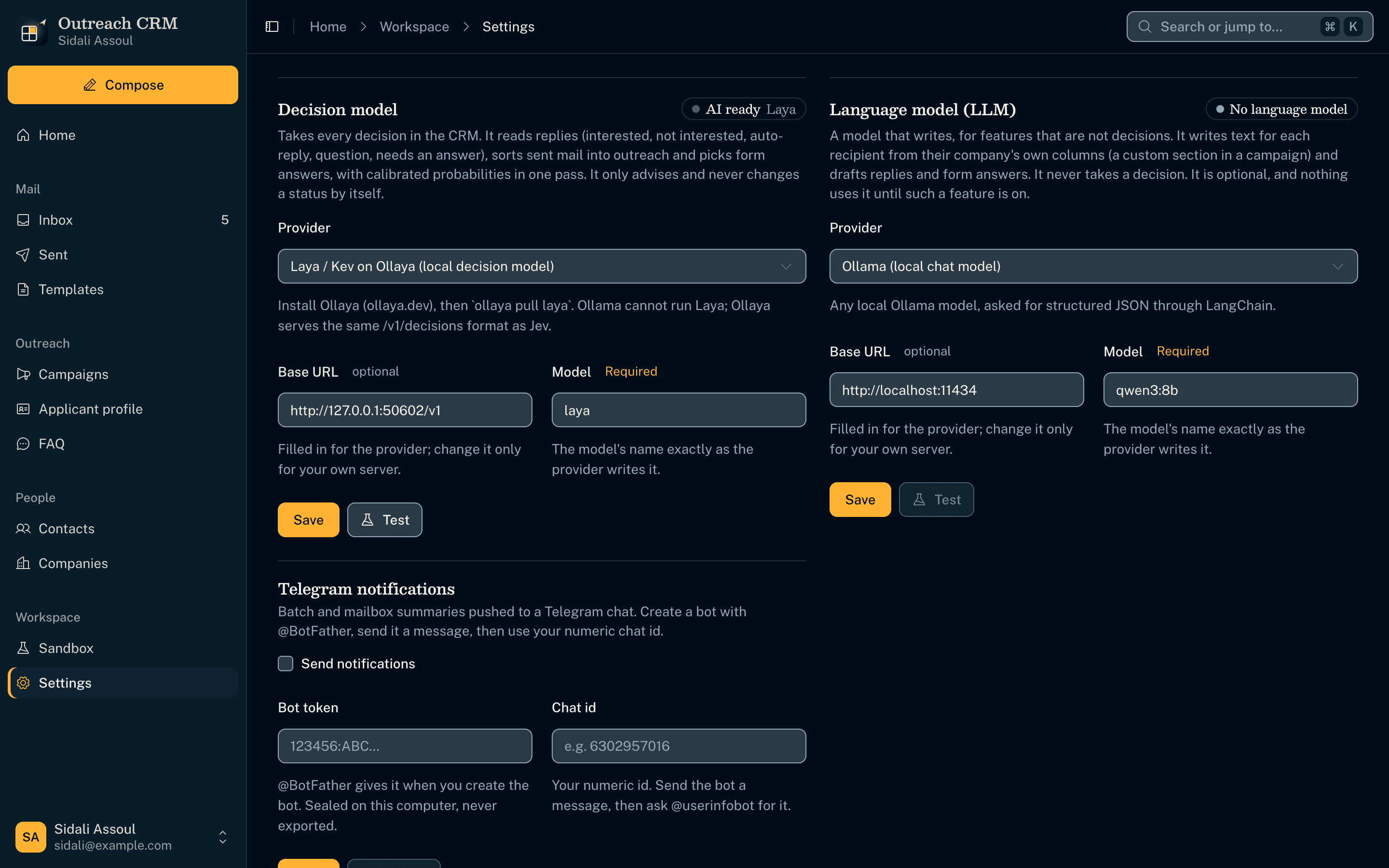
- The decision model takes every decision; a separate language model is kept for features that write.
- API keys are sealed in the system keychain and checked on a free endpoint, never with a paid request.
- Local AIs (Laya on Ollaya, Ollama) are checked every few seconds, so starting one turns the status green.
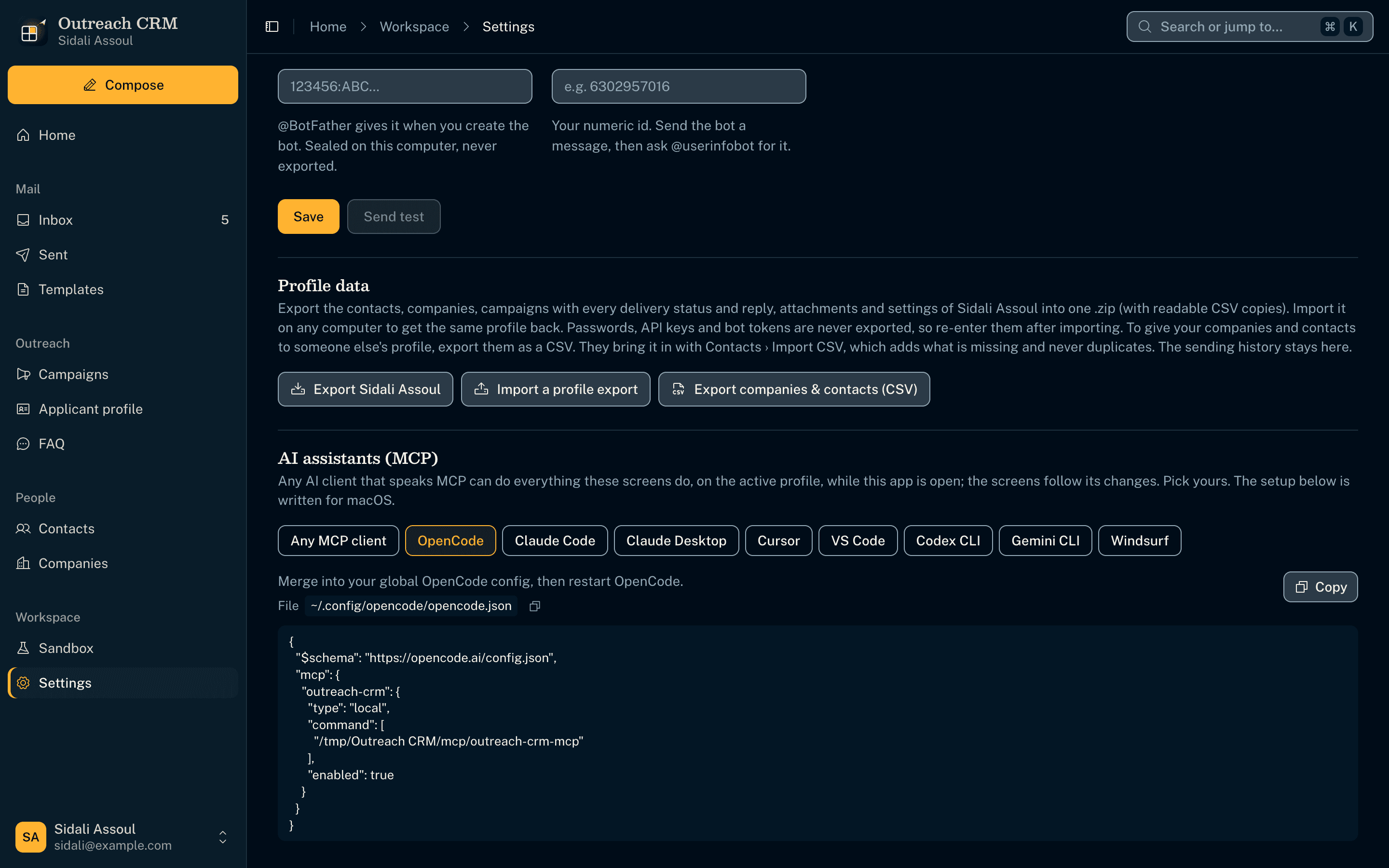
Any AI client can drive it
- 99 MCP tools cover every screen action, so OpenCode, Claude, Cursor, VS Code or Codex can run the CRM in plain language.
- The setup is written for the user's client and system, macOS or Windows paths included.
- A test fails the build whenever a new screen action has no tool.
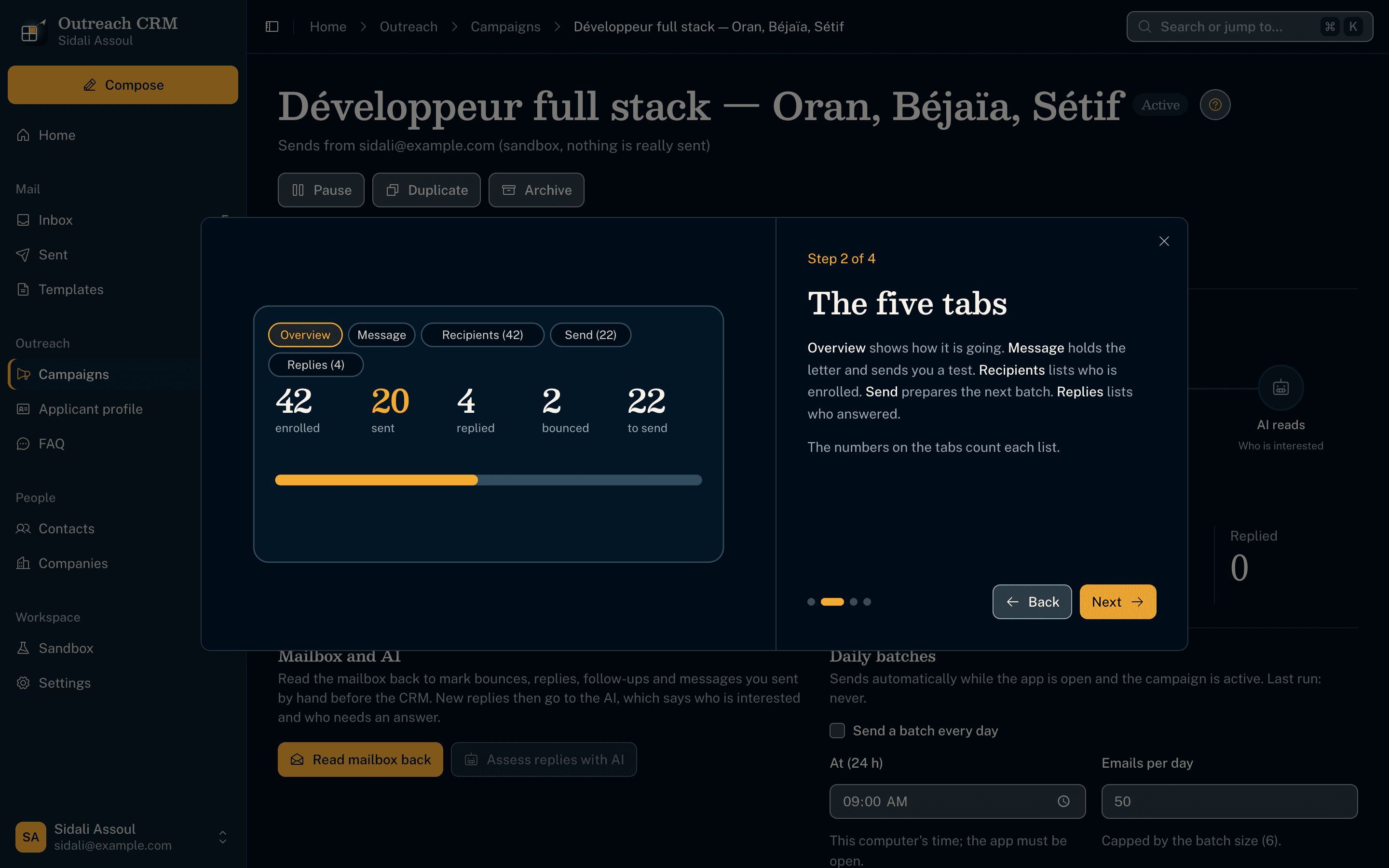
A guide on every page
- Each of the 18 screens has a "?" walkthrough with its own drawings, explaining how that page works.
- The whole app wears the Saldae Dev design system, the same as the Saldae Dev site and sidaliassoul.com.
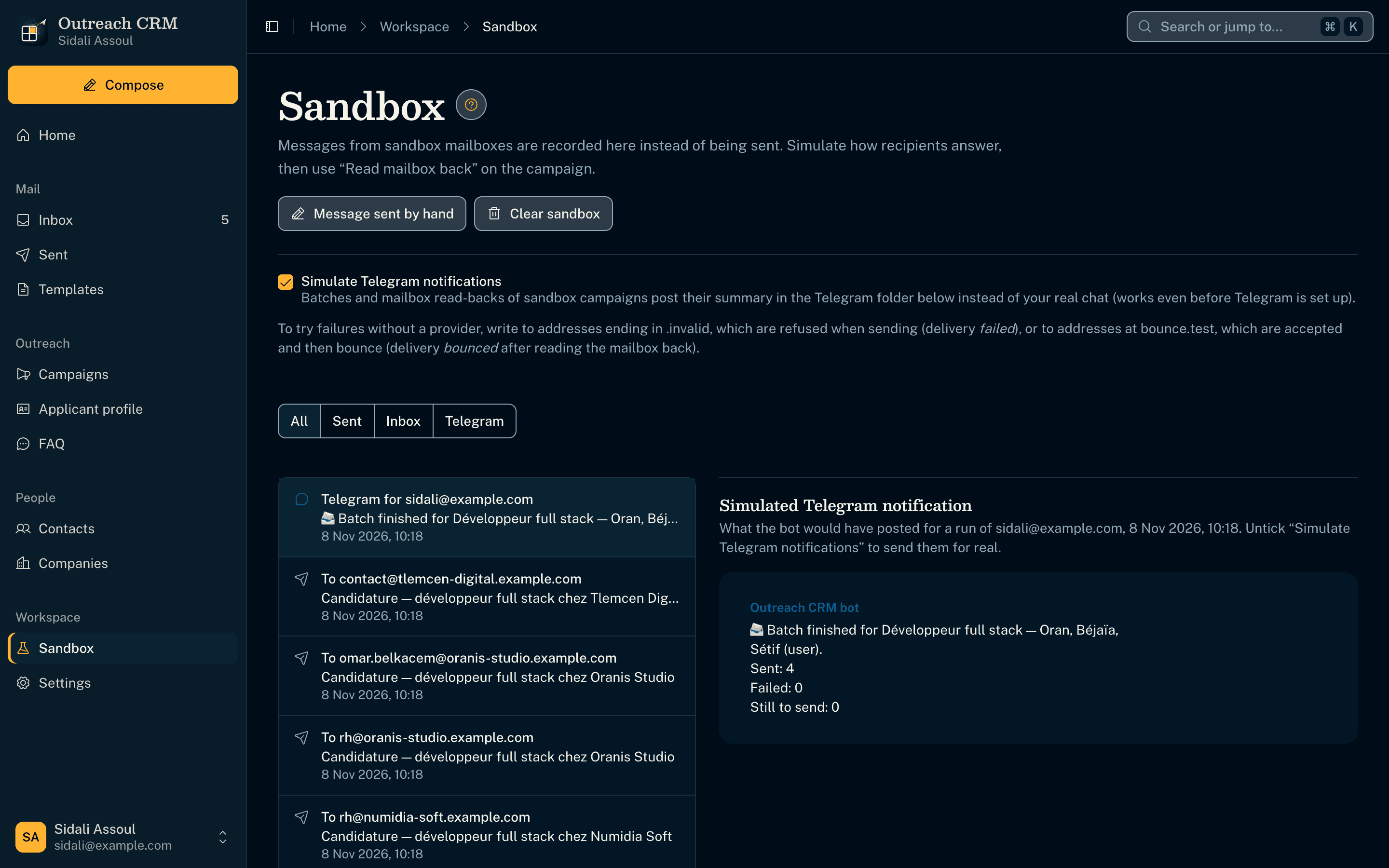
Rehearse without sending
- A Sandbox mailbox records every message on the computer instead of sending it.
- Replies and bounces can be simulated, so a whole campaign can be tried end to end safely.
- The automated tests run on it too, and never touch real mail or real data.
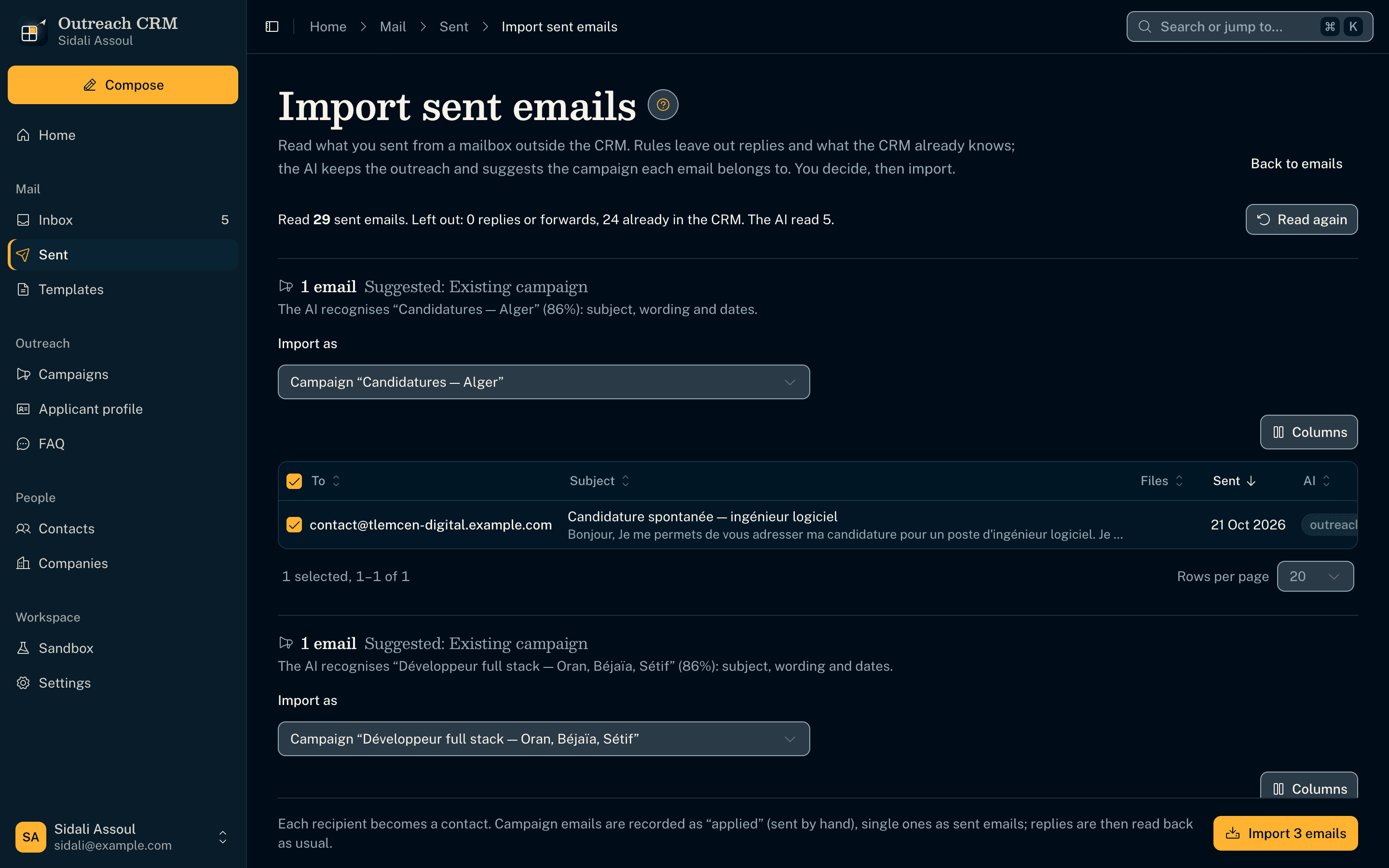
What was sent before, sorted by the AI
- Imports the emails sent by hand before the CRM, so nobody is written to twice.
- The decision model sorts them into outreach and the rest; the user checks what it proposes.
Implementation notes
- Built a desktop CRM (Electron, macOS and Windows) on a DDD and clean architecture: 11 business modules, each split into domain, application, infrastructure and interface layers, checked by an architecture test on every run
- Sends campaign batches from the user's own mailbox (Gmail through Google sign-in, or any SMTP/IMAP server), reads replies, bounces and hand-sent answers back over IMAP, and records every step per recipient
- Put every AI decision behind one port: a calibrated decision model (Jev via OpenRouter or TypeSafe, Laya/Kev locally on Ollaya) answers typed yes-no, choice and score questions; a separate LangChain language model is kept for writing
- Exposed the whole app to AI clients through an MCP server of 99 tools, with a test that fails when a screen action has no tool, and a stdio relay that starts the app when it is closed
- Shipped a WXT browser extension that fills job application forms from the applicant profile over native messaging, finds contacts on a page and drafts emails from a right-click
- Keeps each profile in its own SQLite database (Drizzle migrations) with secrets in the OS keychain, a Sandbox mailbox for safe rehearsals, 14 architecture decision records, and 125 unit, 59 extension and 12 end-to-end Playwright tests
Featured Projects
Open Source
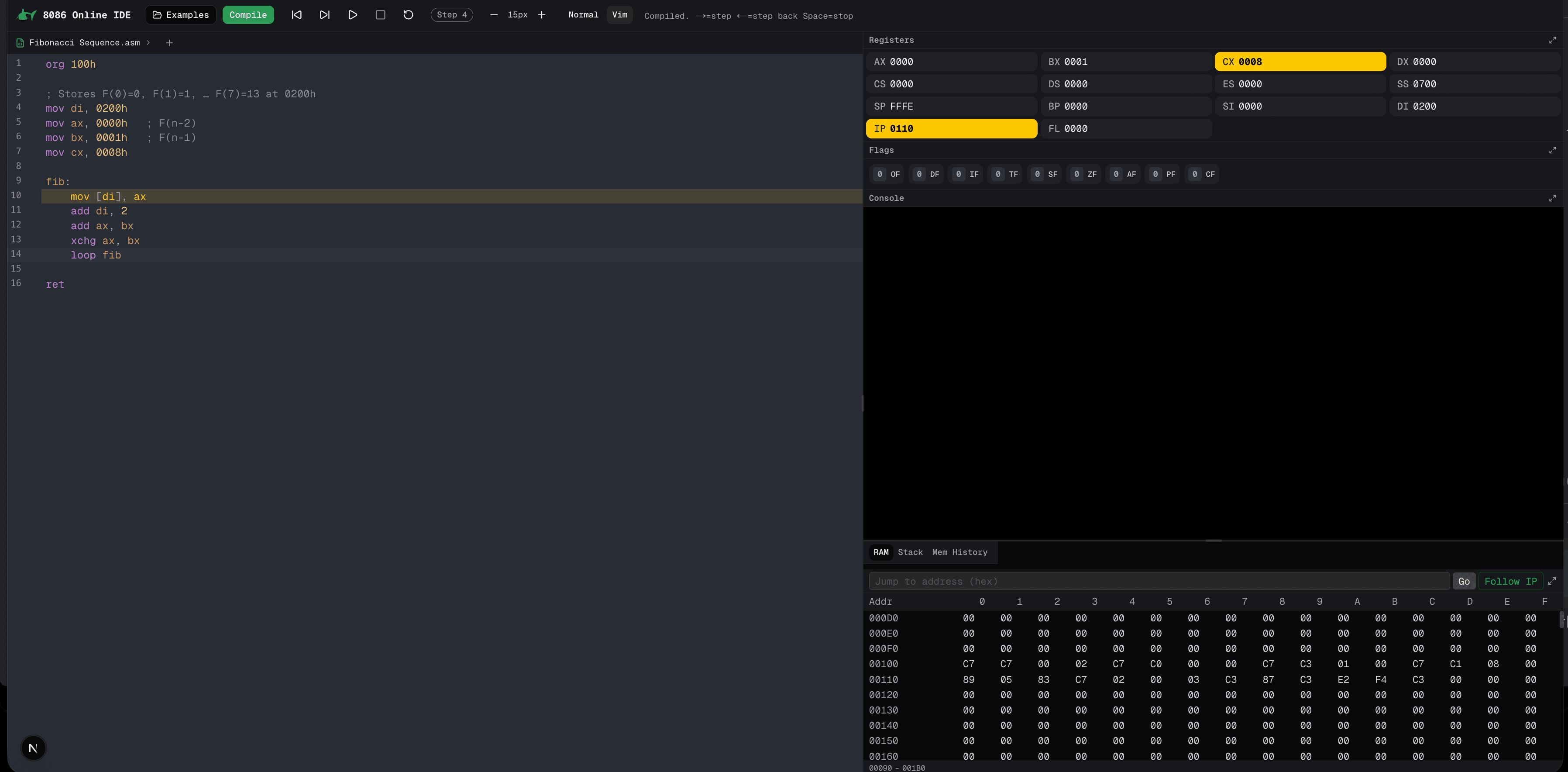
8086 Processor Web Emulator
Open-source Intel 8086 emulator and assembler for the browser (Vanilla JS), built as a second year university project in a team of 6, featuring instruction set simulation and interactive debugging.
- JavaScript
- HTML
- CSS
Thesis Project
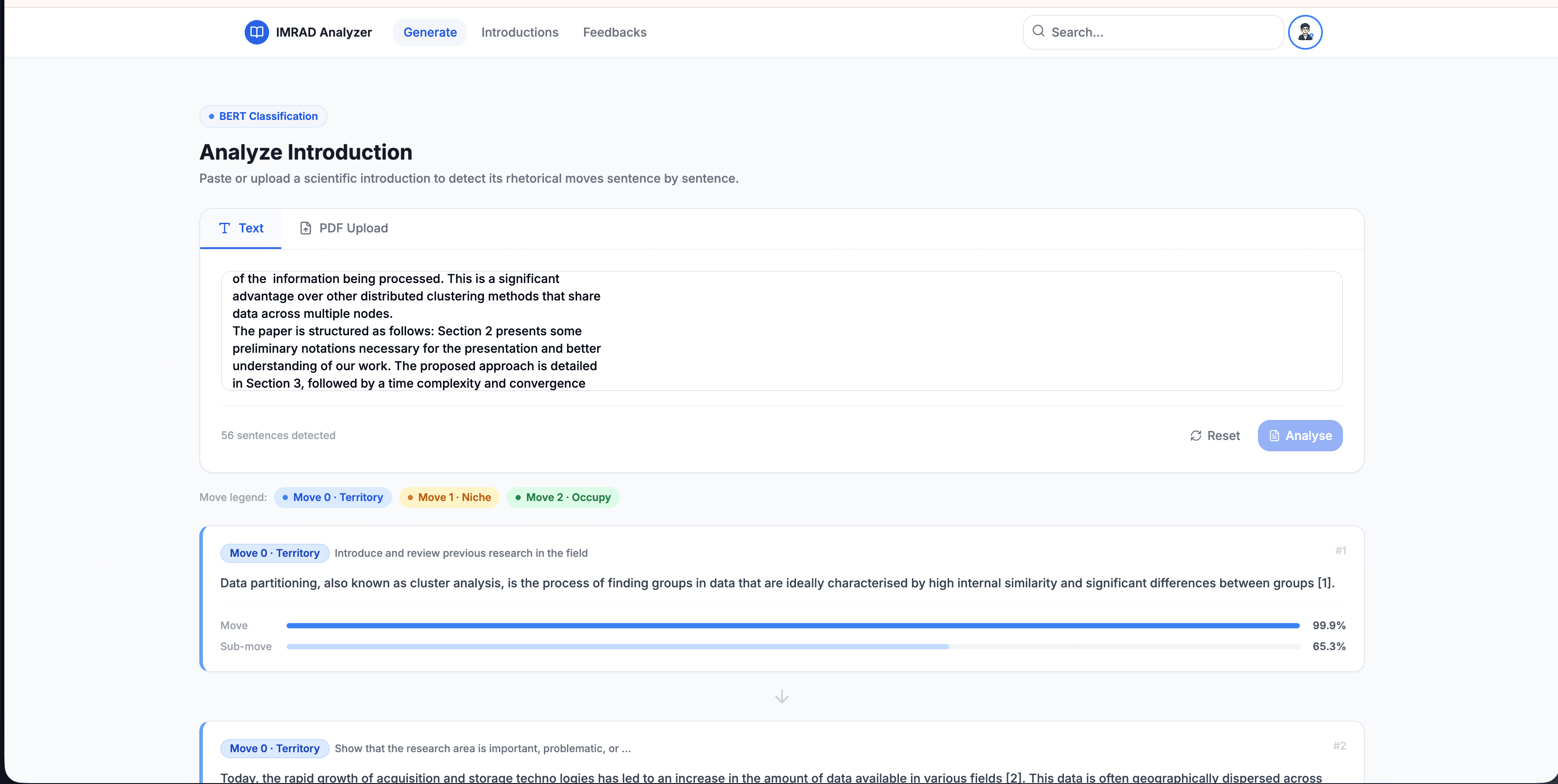
IMRaD Analyzer: Distributed Microservices for Scientific Text Classification
An 8-node microservices platform leveraging BERT and Gemini Pro to classify scientific papers, using a custom 169k-sentence dataset to achieve a 98.21% peak F1-score.
- Next.js
- FastAPI
- BERT
- Gemini Pro
- TF Serving
Let's work together
I'm currently open to new roles, remote-first or international. If you're building something ambitious, I'd love to hear about it.