Personal Product
Saldae Tracker
Desktop time tracker (Electron, macOS and Windows) in the spirit of Upwork's: a timer that starts with one click and gets its project later, a Work Diary of 10-minute slots with a screenshot, per-minute activity and the apps in front, a day told in stretches, categories and insights, a Timesheet with earnings, and a Business edition whose trackers send their diary to a server the company installs on its own infrastructure.
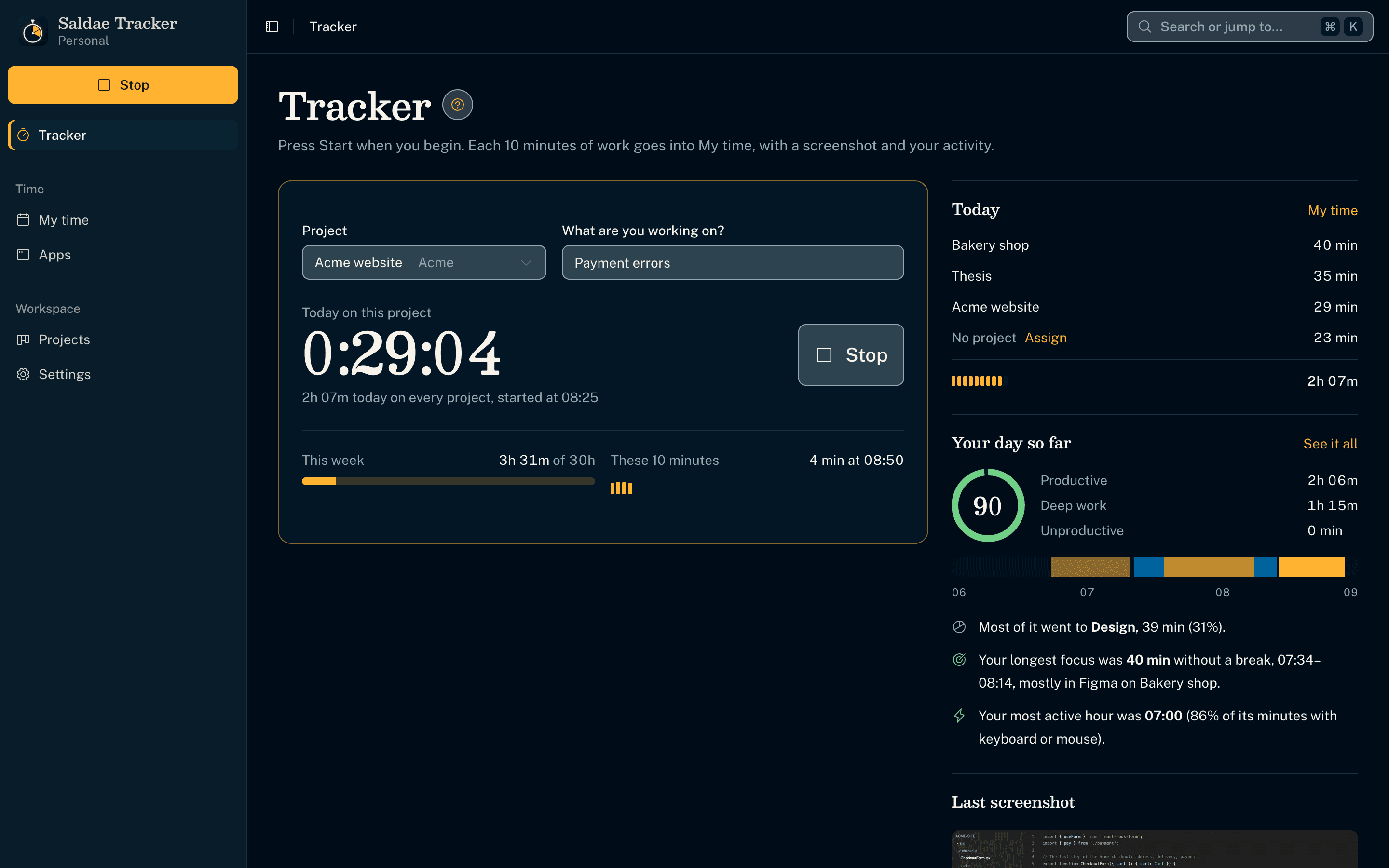
Track first, choose the project later
- Start works with one click on an empty app; no project or setup comes first.
- Picking a project while the timer runs moves the session's time to it; on a project already, the user chooses to move the session or switch from now on.
- The tray (menu bar) keeps the timer running with the window closed.
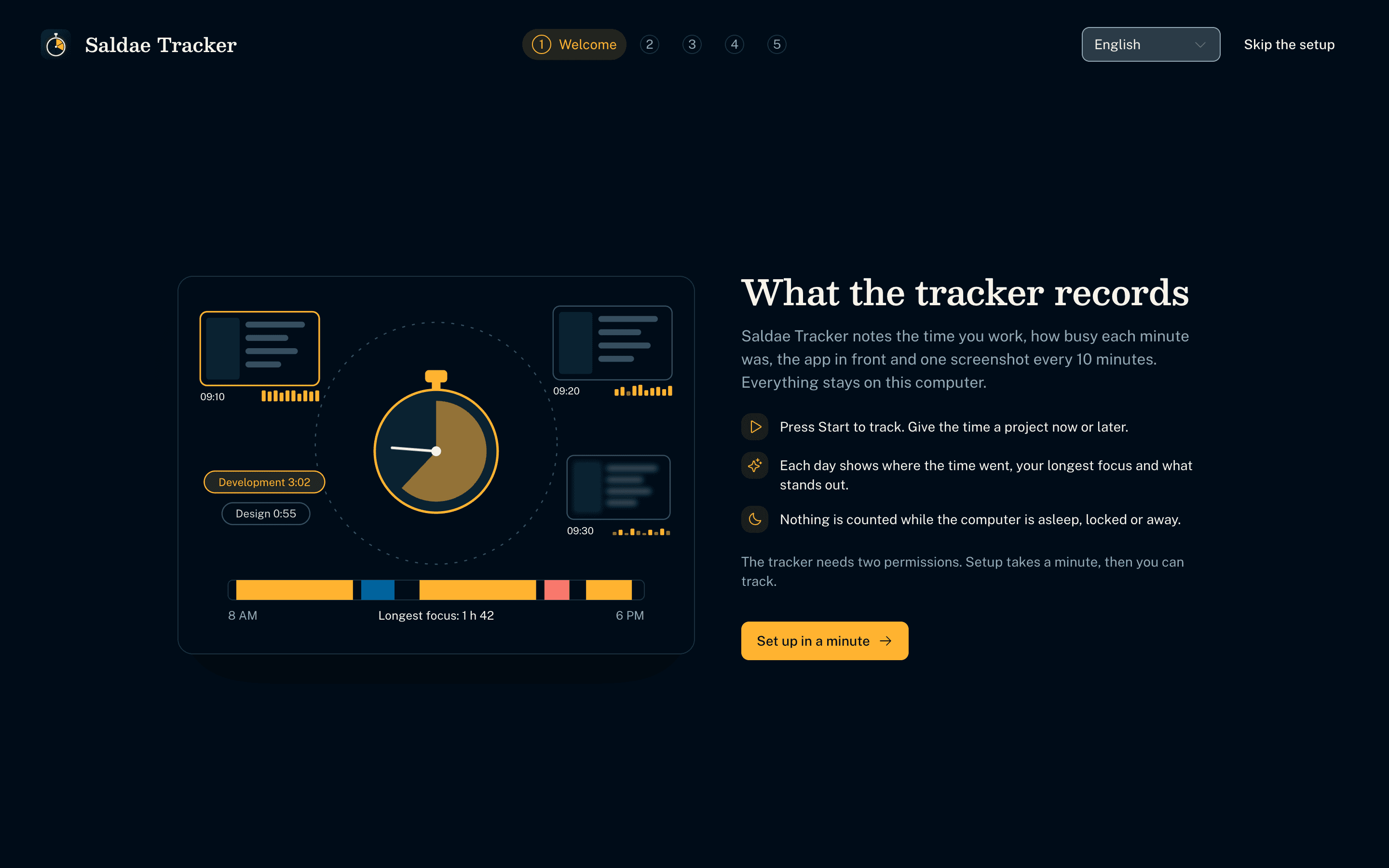
A first-run setup that asks once
- Five drawn steps explain what the tracker records, then ask for the macOS Screen Recording and Accessibility permissions, each showing its state as it changes.
- Each drawing follows the user's choices, such as blurred screenshots or app names only.
- The last steps set the tracker to open with the computer and start the timer.
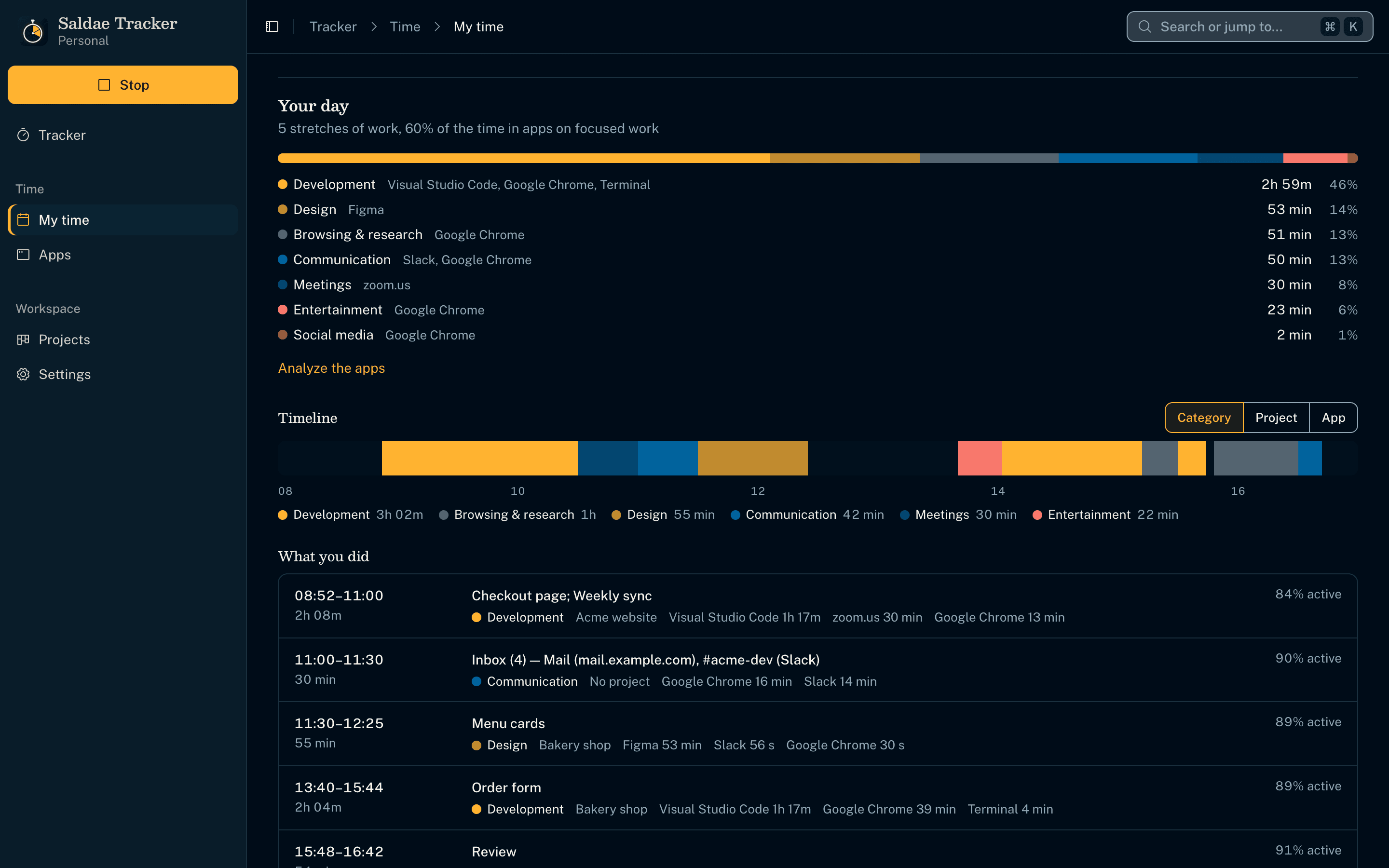
The day, told
- Insights derived on the computer, by rules: hours and breaks, the longest focus, the most active hour, distractions, how the day compares with a typical one.
- Every app and browser tab falls into a category (development, design, meetings, entertainment…): by name, by site, else by title.
- The share of each category, and a link to analyze the apps.
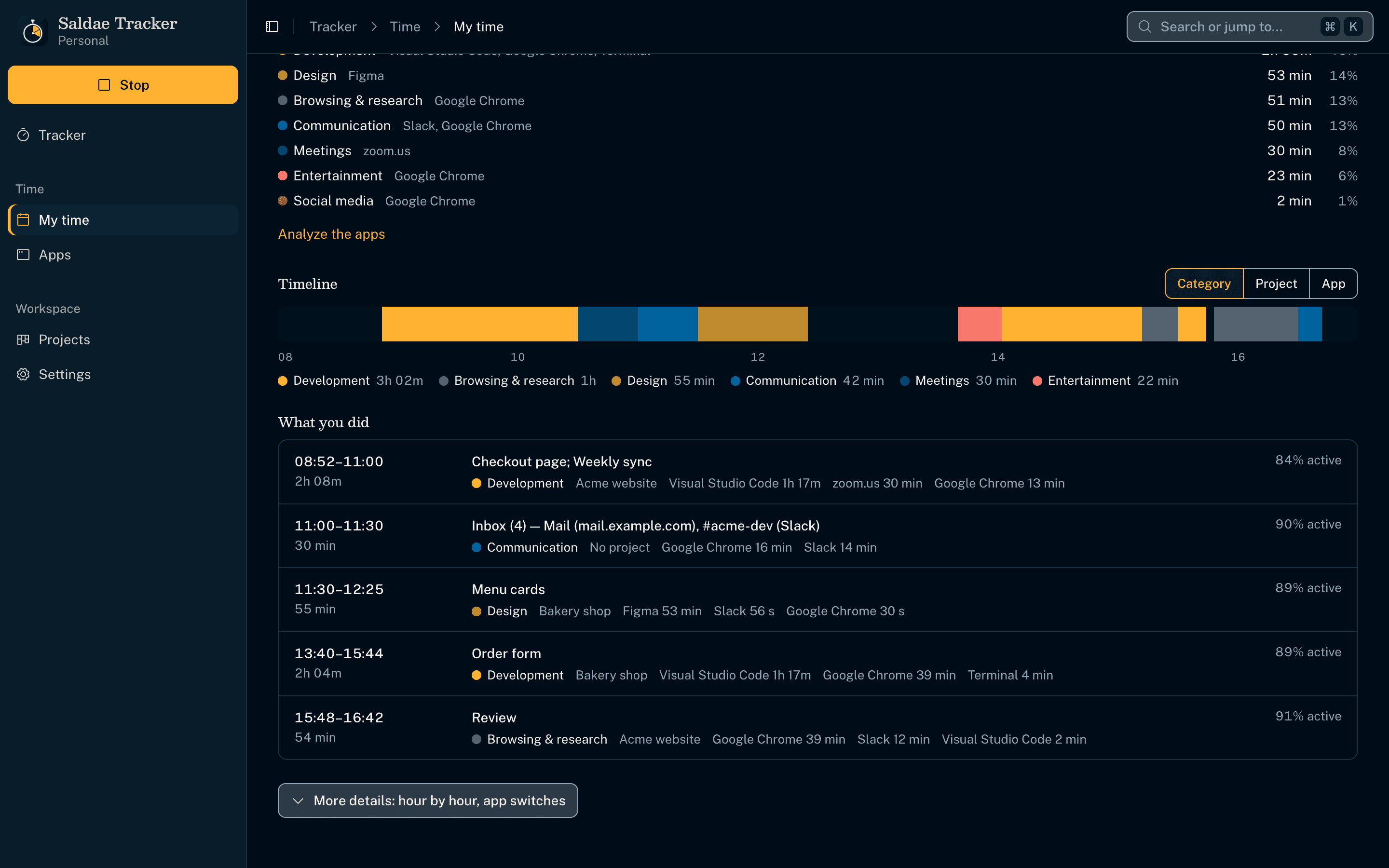
What you did, without writing it down
- A timeline of the day, coloured by category, project or app; gaps are breaks.
- Stretches of work (one project, no five-minute break) told by their memo, or by the windows and sites that were in front.
- Each stretch shows its apps and how active it was; a click jumps to its screenshots.
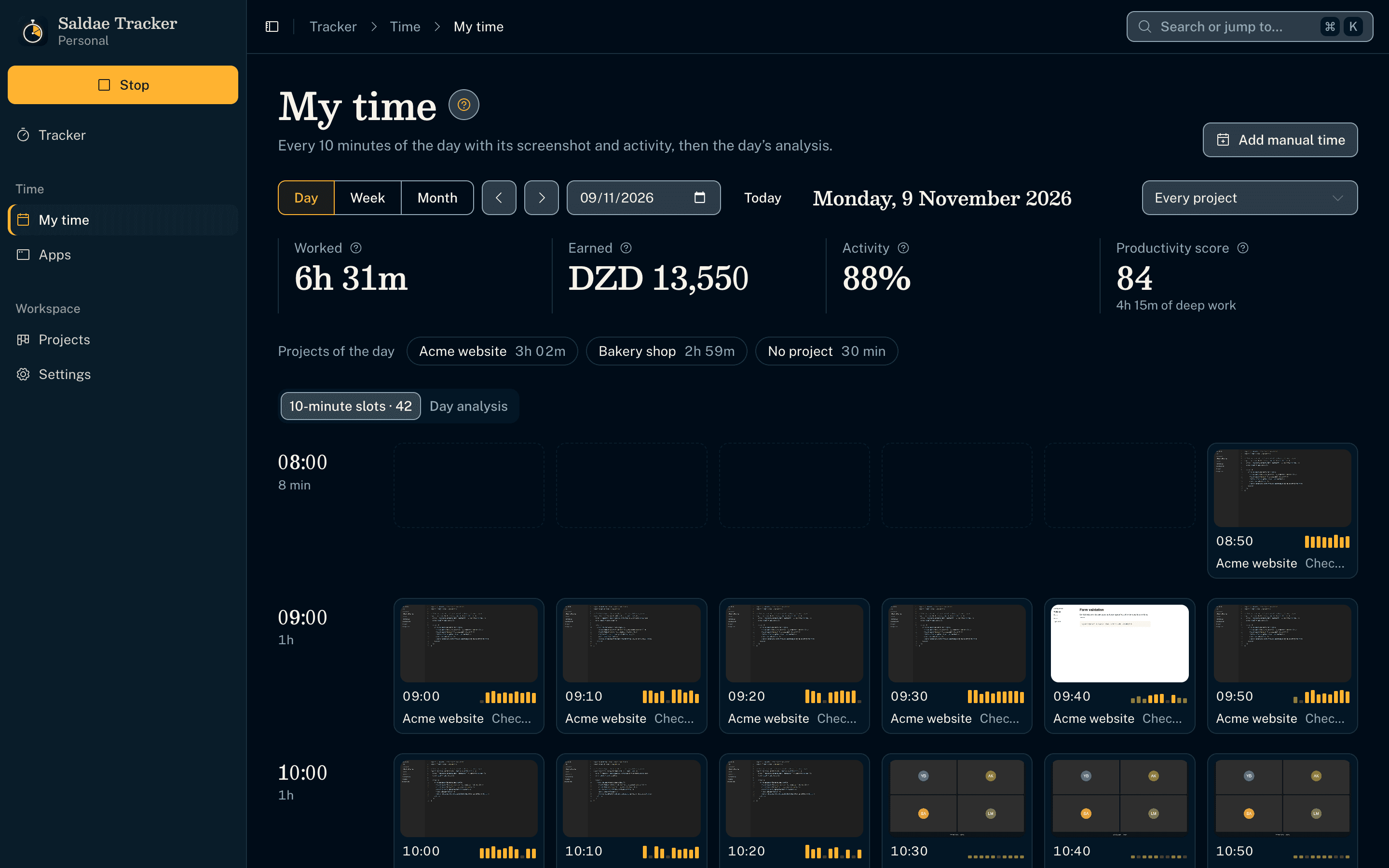
A Work Diary of 10-minute slots
- My time opens on the day, with a Day / Week / Month switch; each slot holds one screenshot taken at a random moment, the memo and ten activity bars, and the day's analysis is the next tab.
- Each bar is a minute, as tall as its share of keyboard or mouse input, read every 5 seconds from the system's idle time; never keystrokes.
- Idle time is set aside for the user to keep or discard. Nothing counts while the computer sleeps or is locked, and manual time goes only where nothing was tracked.
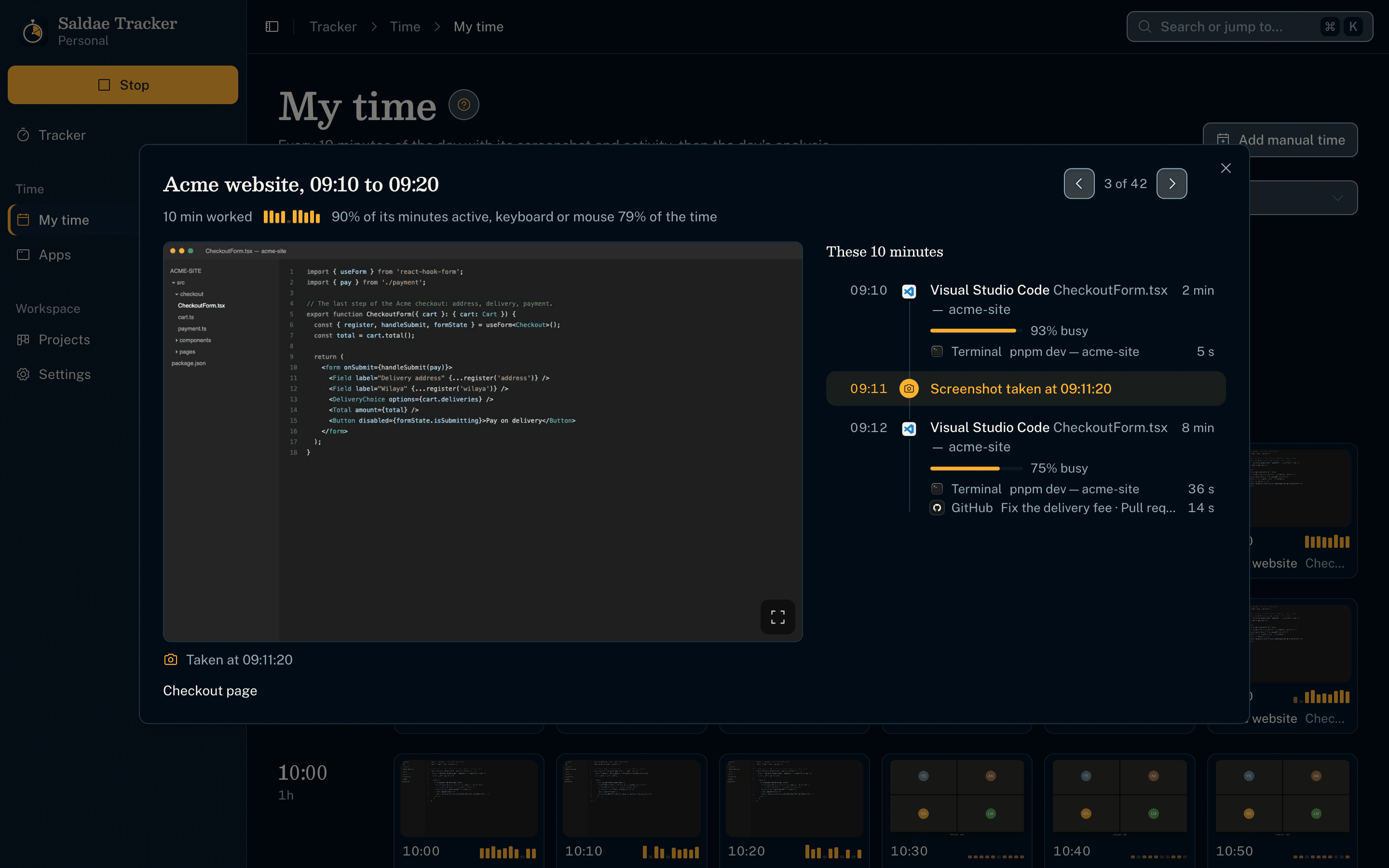
A slot, opened
- The screenshot in full beside the ten minutes in order. Each stretch shows its app and window and how busy it was, and the moment of the screenshot sits among them.
- Screenshots can be on, blurred beyond reading, or off; they reach the screens through a custom protocol only.
- Slots can be assigned to a project, given a memo, or deleted with their screenshot.
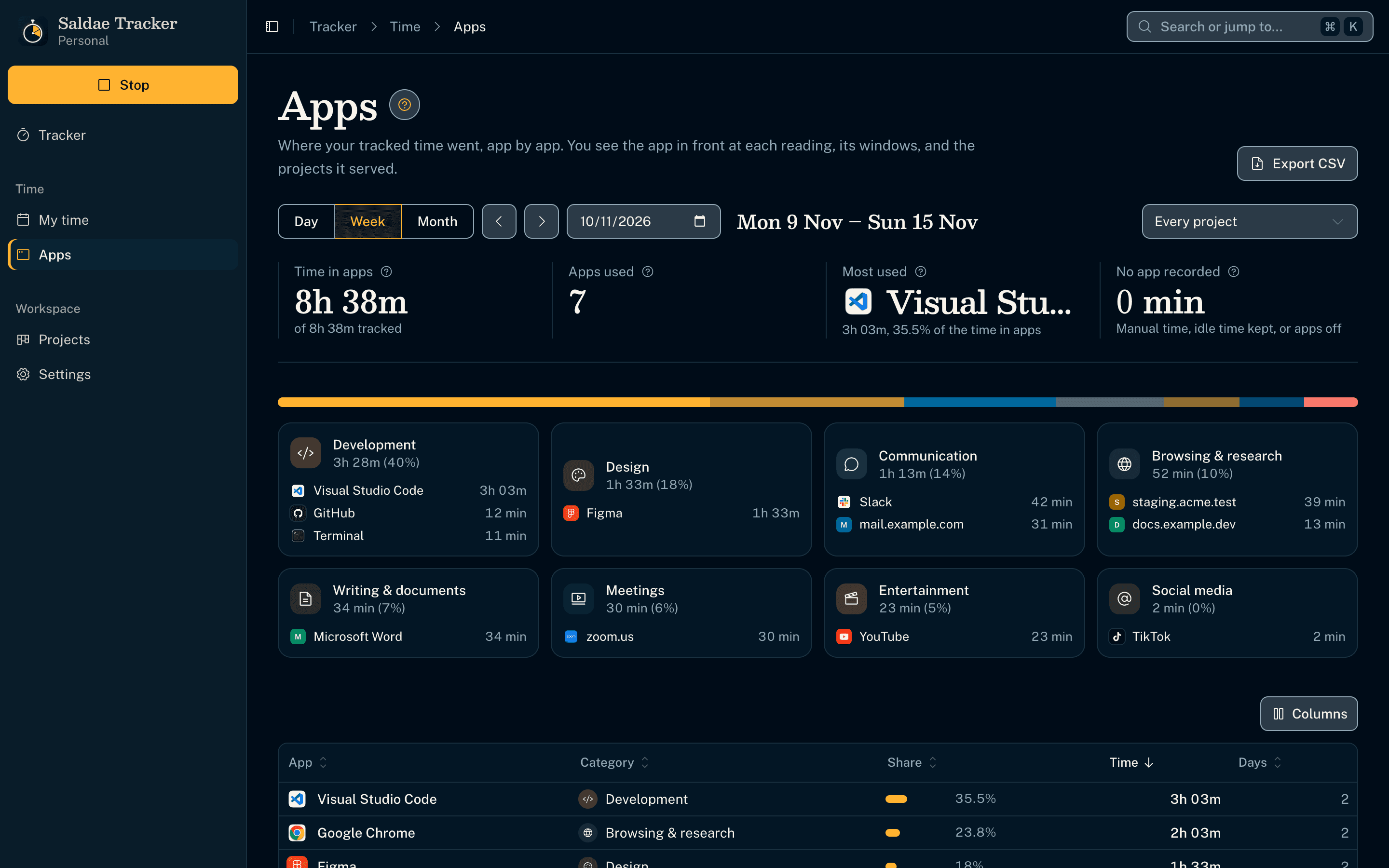
Where the time went, app by app
- A day, a week or a month app by app, each with its icon, share, days used and category, filtered by project. The report exports as CSV.
- Each category's tile names where its time went, such as TikTok and Instagram for social media. Pressing a tile shows only its apps.
- The app in front comes from the get-windows package (no native code of ours), on macOS and Windows.
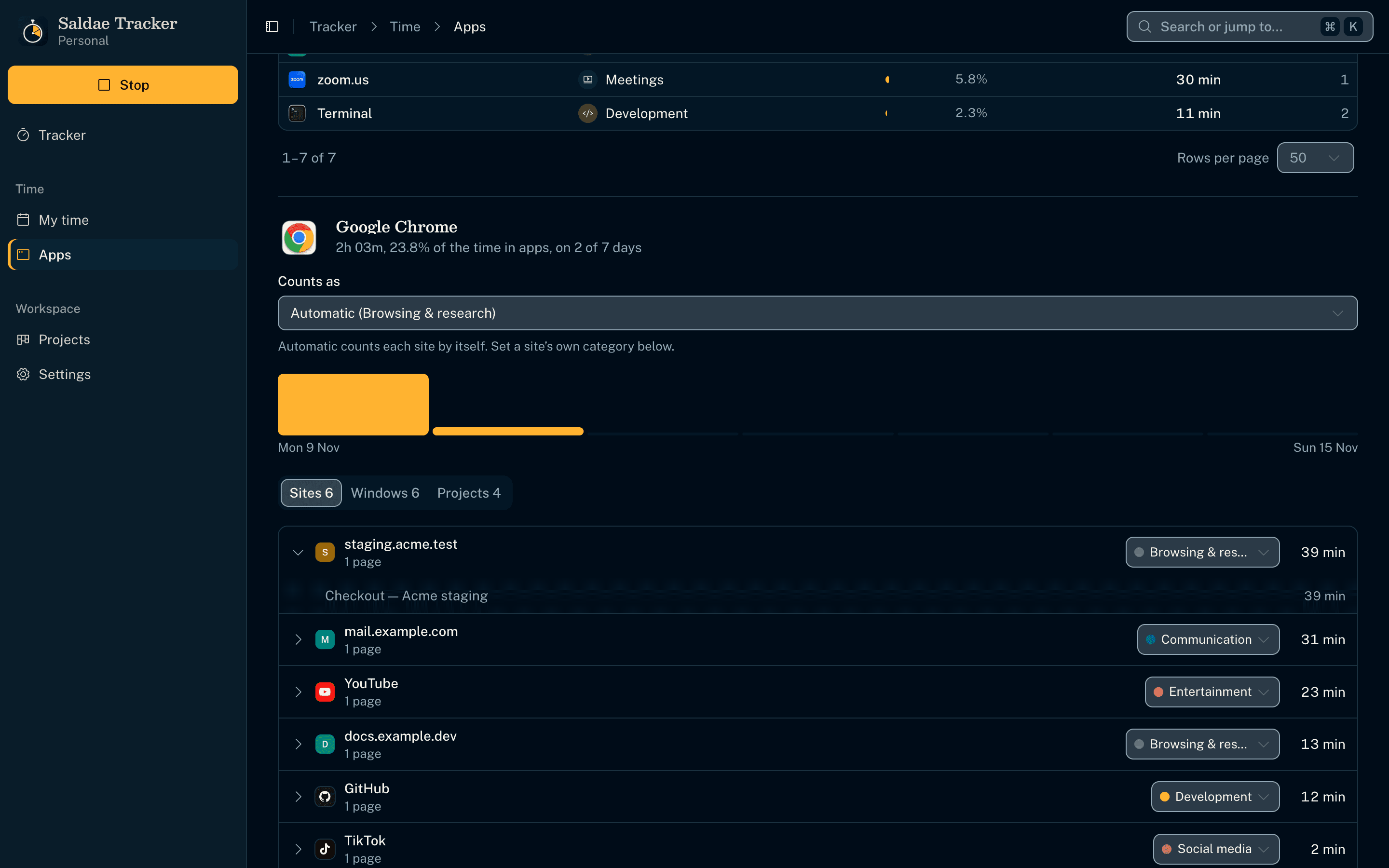
Sites, windows, and what they count as
- A browser's time is grouped by site or service, recognized from the tab's address or title, and each one opens on its pages. Brand icons are bundled, so no visited site is ever contacted.
- The user corrects what an app or a site counts as, and every day follows, past ones included.
- Each window and project the app served, with its time.
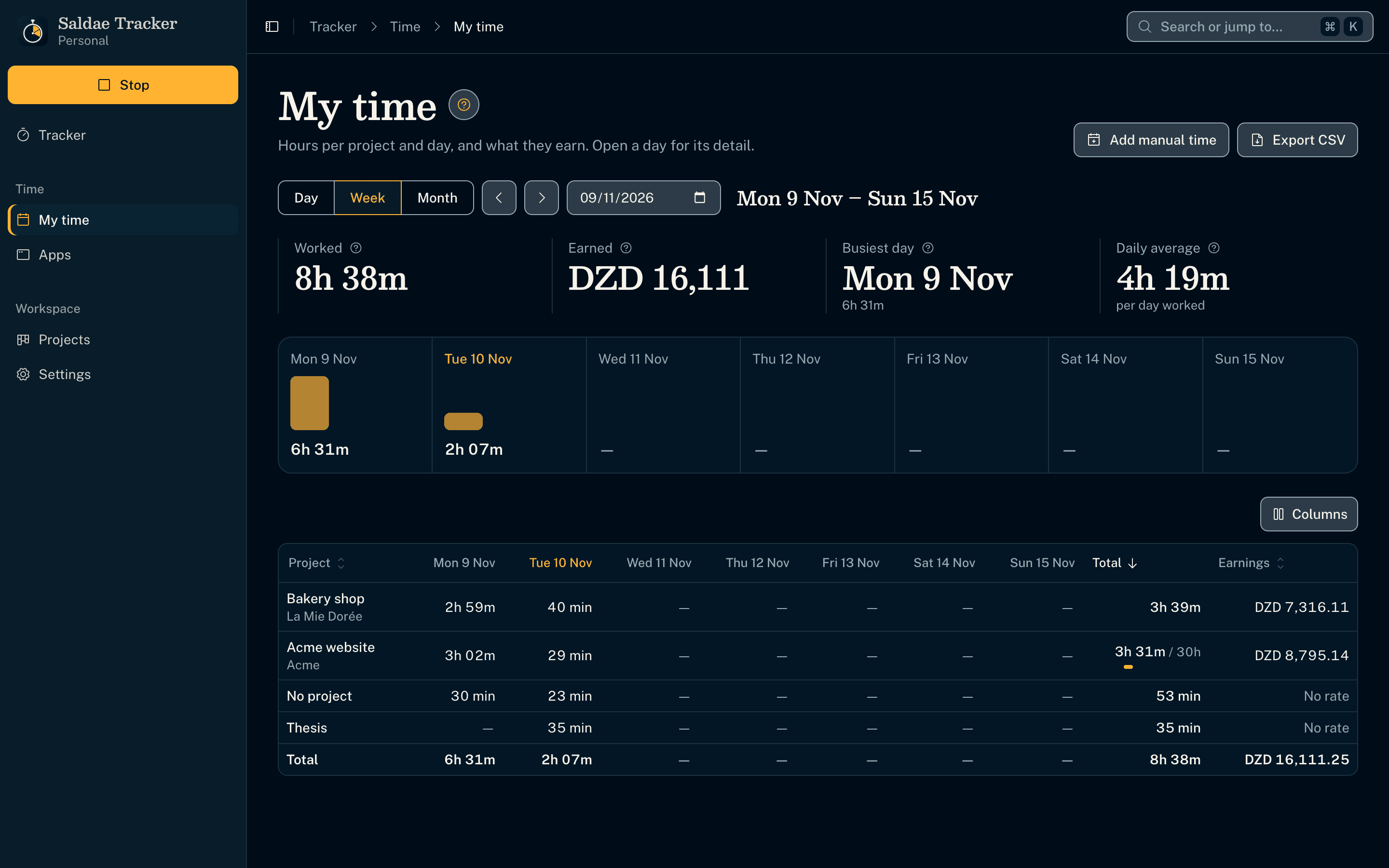
A Timesheet that earns
- The week's hours per project and day with a total row, each project's hourly rate turned into earnings, one total per currency; a day opens from its column.
- Time without a project has its own row until it is assigned.
- Exported as a CSV for a client or an accountant.
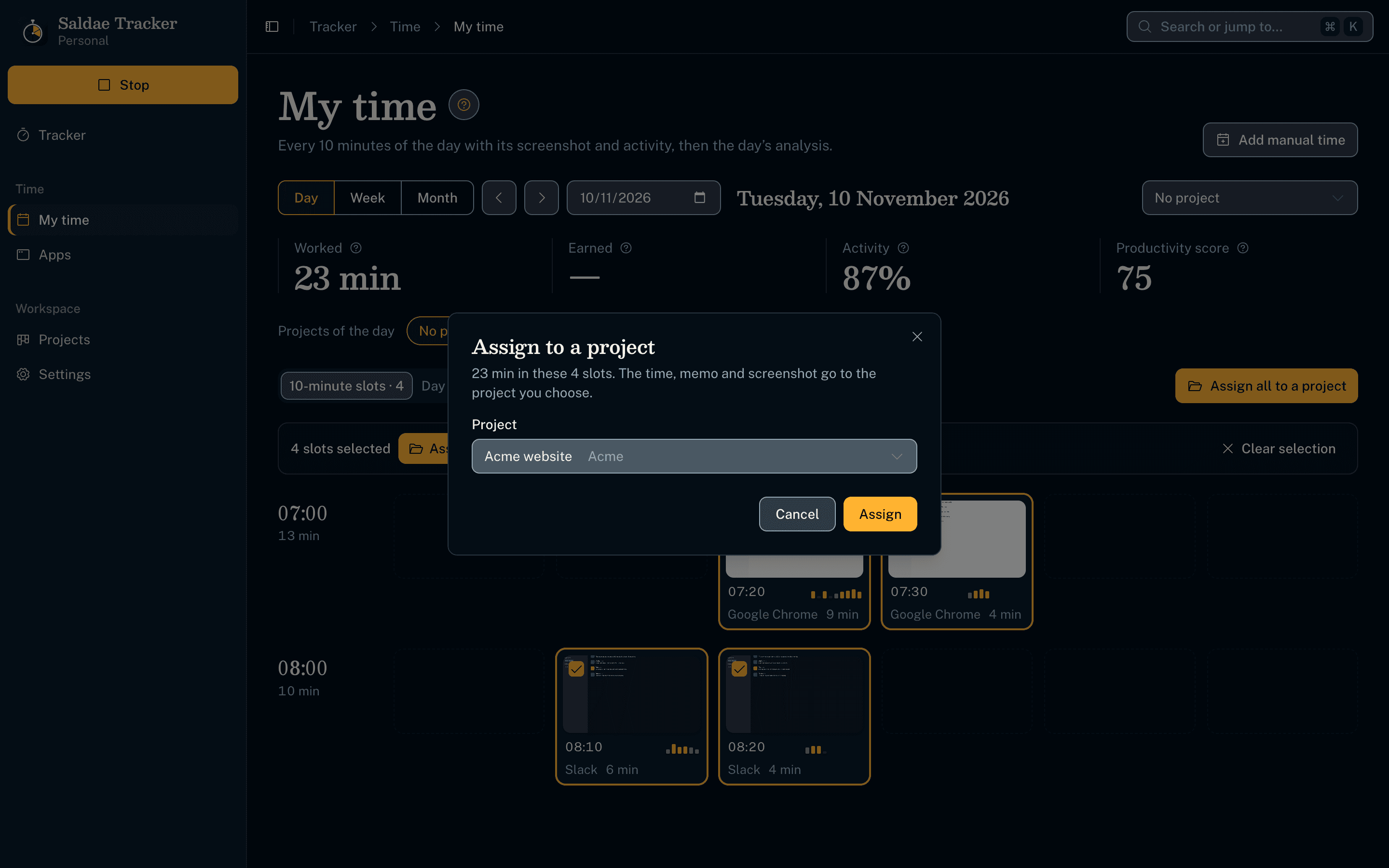
Assign the time afterwards
- The No project filter gathers the day's unassigned time; Assign all gives it a project in two clicks.
- A slot hands its minutes, memo and screenshot to the target project's slot of the same ten minutes.
- A project can be made on the spot from every project list.
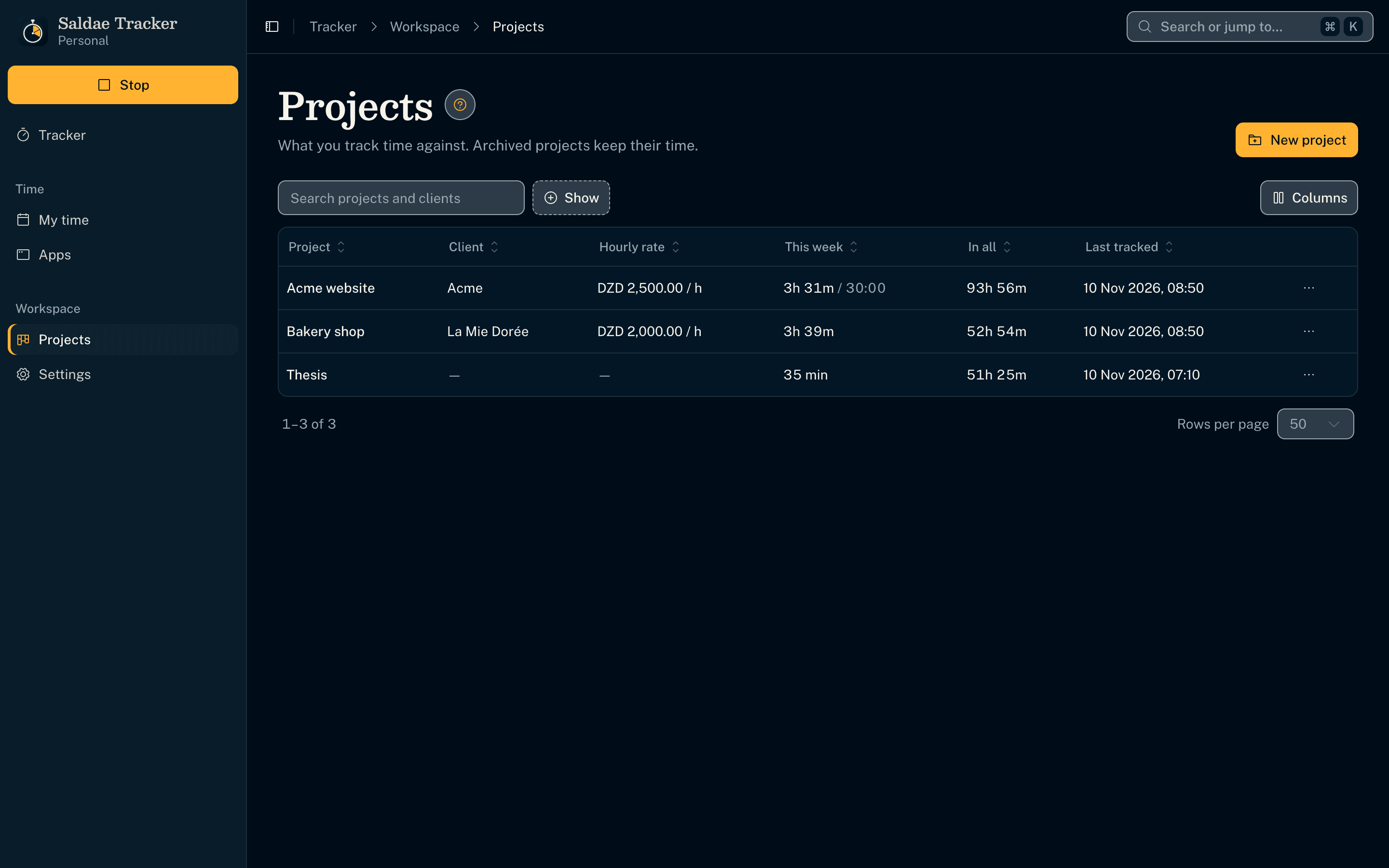
Projects, optional
- Each project with its client, hourly rate and optional weekly limit, which stops the timer when reached.
- Archived projects keep their time out of the way.
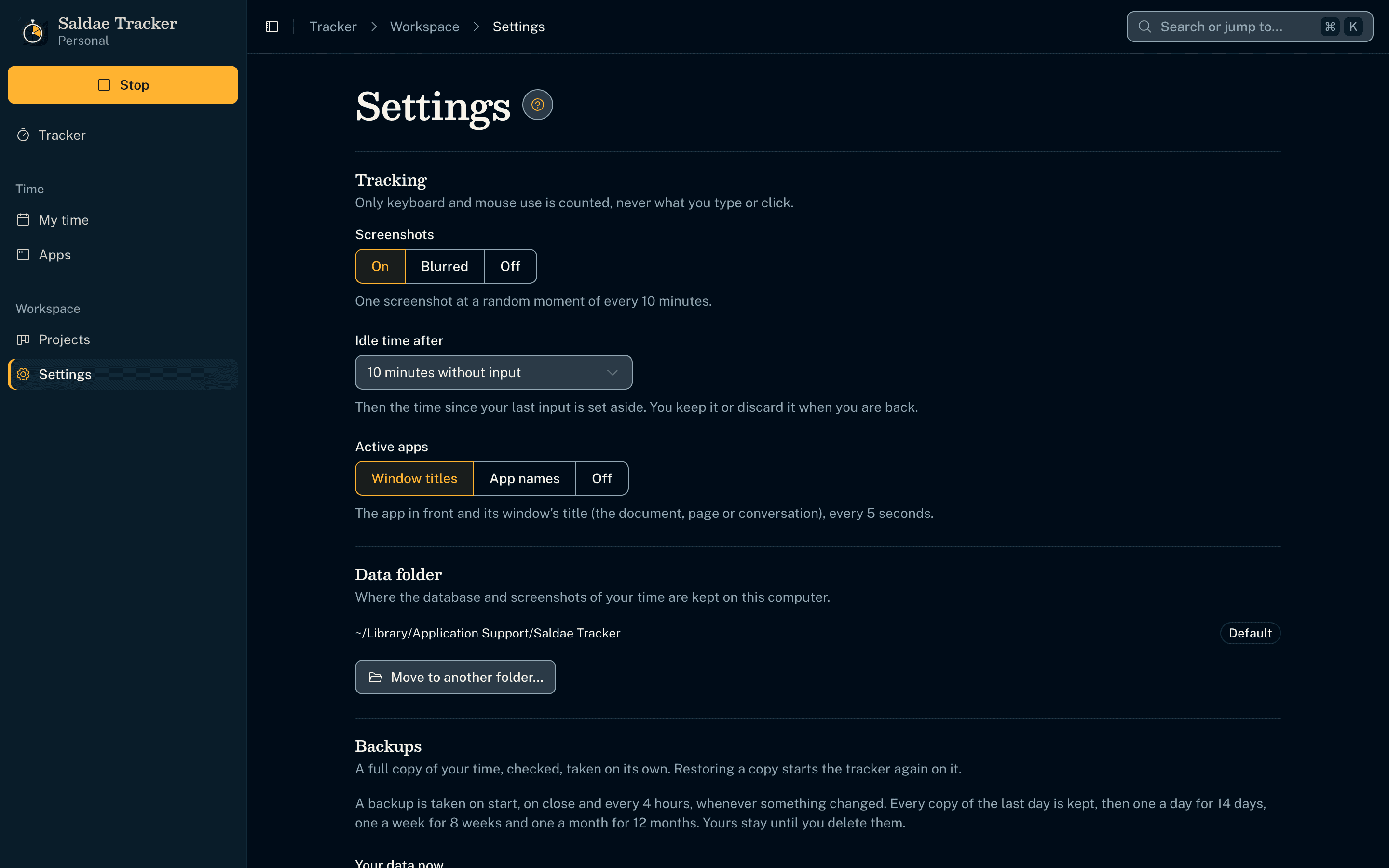
What is recorded is the user's choice
- Screenshots on, blurred or off; idle time after a chosen delay; the app in front with its window title, its name only, or off.
- macOS permissions are asked in the first-run setup or from Settings, never by surprise.
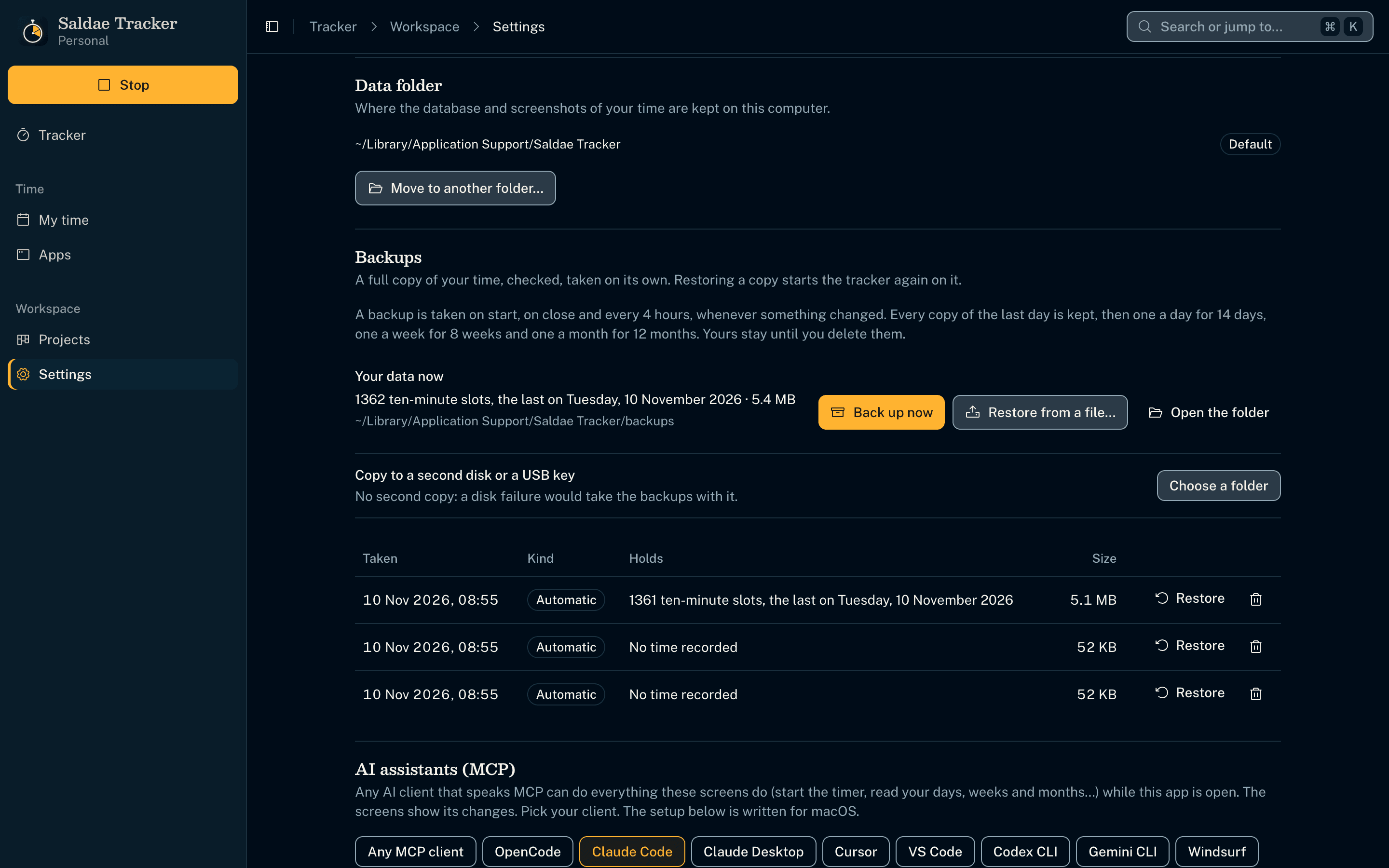
Your data where you want it; any AI client can drive it
- The data folder moves anywhere (another drive, a synced folder); the app restarts on the copy and deletes the old one only once it opened.
- 65 MCP tools cover every screen action, so OpenCode, Claude, Cursor or Codex can start the timer, read the day and assign time.
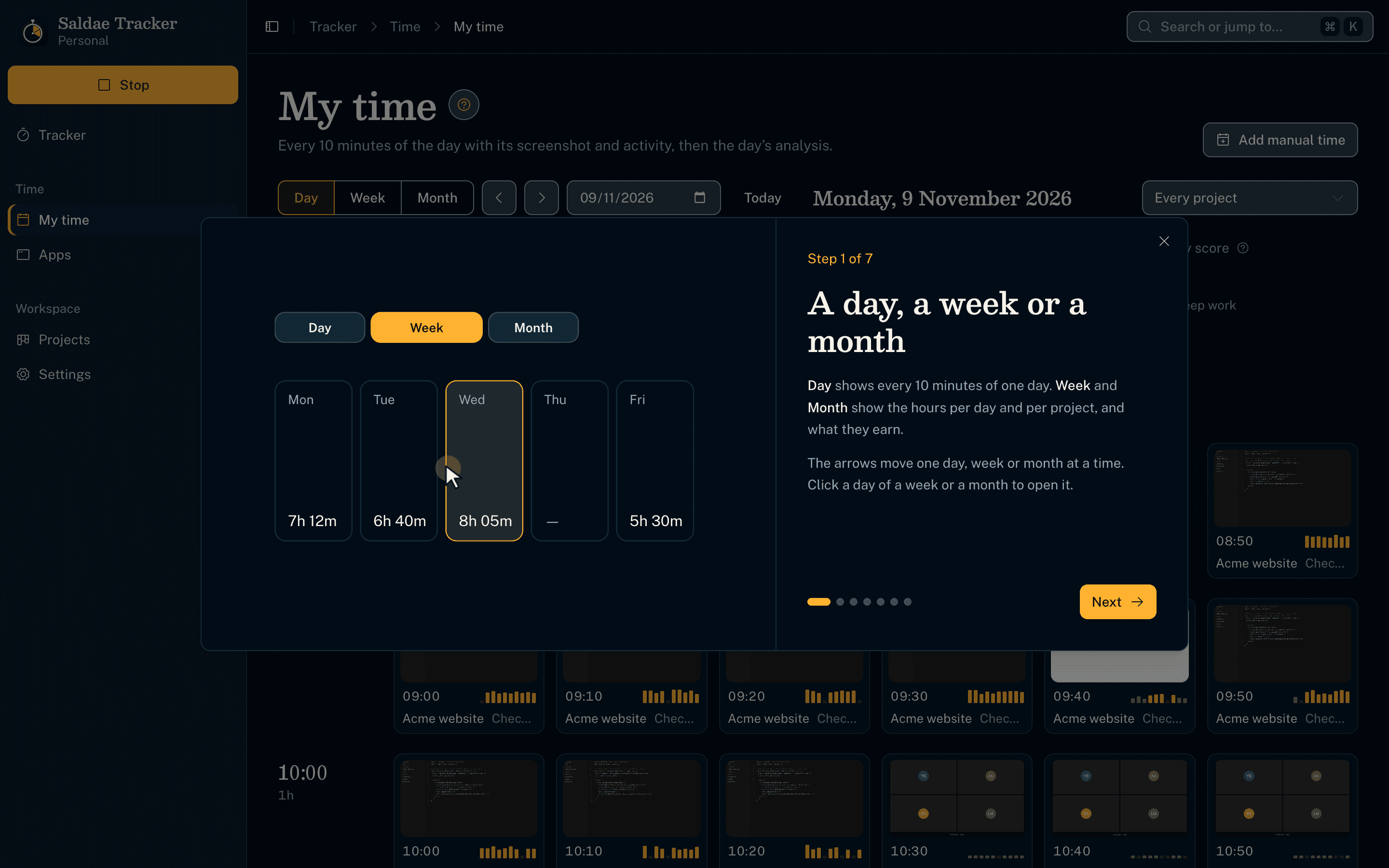
A guide on every screen
- Each screen has a "?" walkthrough with code-drawn scenes; empty screens draw what will appear there.
- The whole app wears the Saldae Dev design system, the same as the Outreach CRM, the Saldae Dev site and sidaliassoul.com.
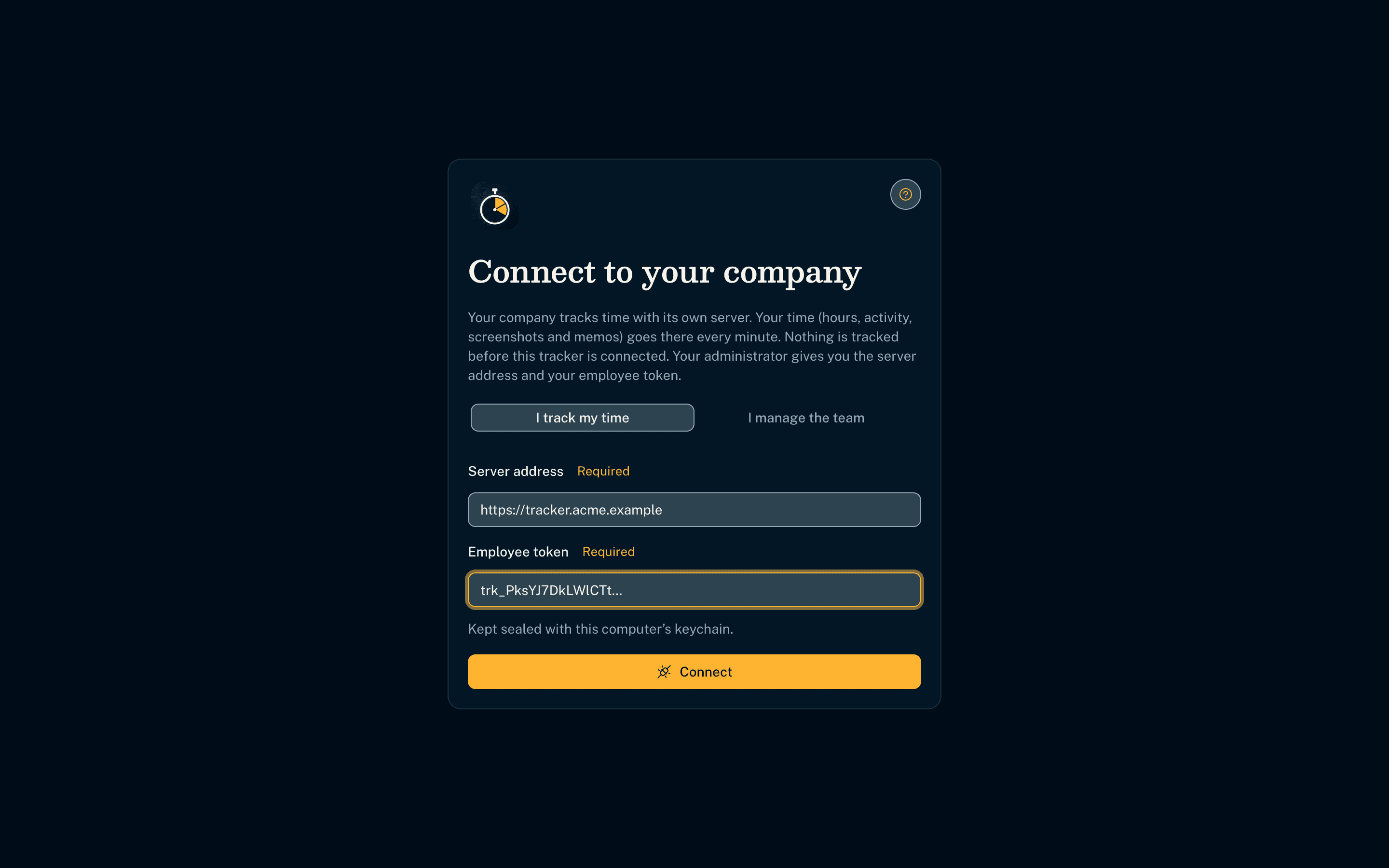
A Business edition, on the company's own server
- The same codebase builds a Business edition; it tracks nothing until connected to the company's server.
- The server (Hono, SQLite, Docker image) runs on the company's own machine or infrastructure; employees connect with a token.
- The diary uploads every minute; time tracked offline waits and is never lost.
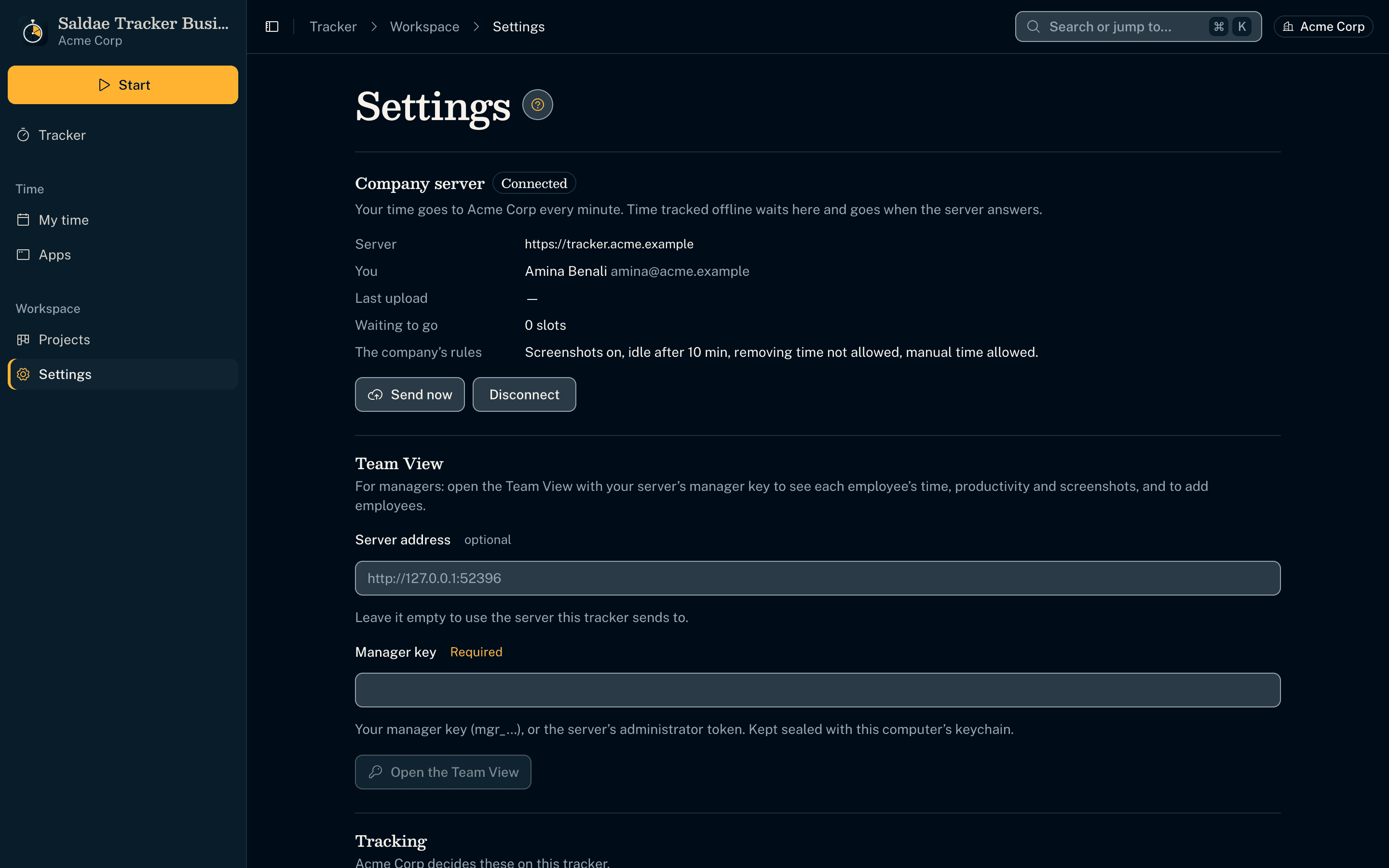
The company sets the rules
- The company's policy decides screenshots, idle time, active apps, and whether time can be removed or added by hand.
- The policy comes back with every answer, so a change reaches every tracker within a minute.
- Uploads are idempotent by revision over a published, Zod-validated contract.
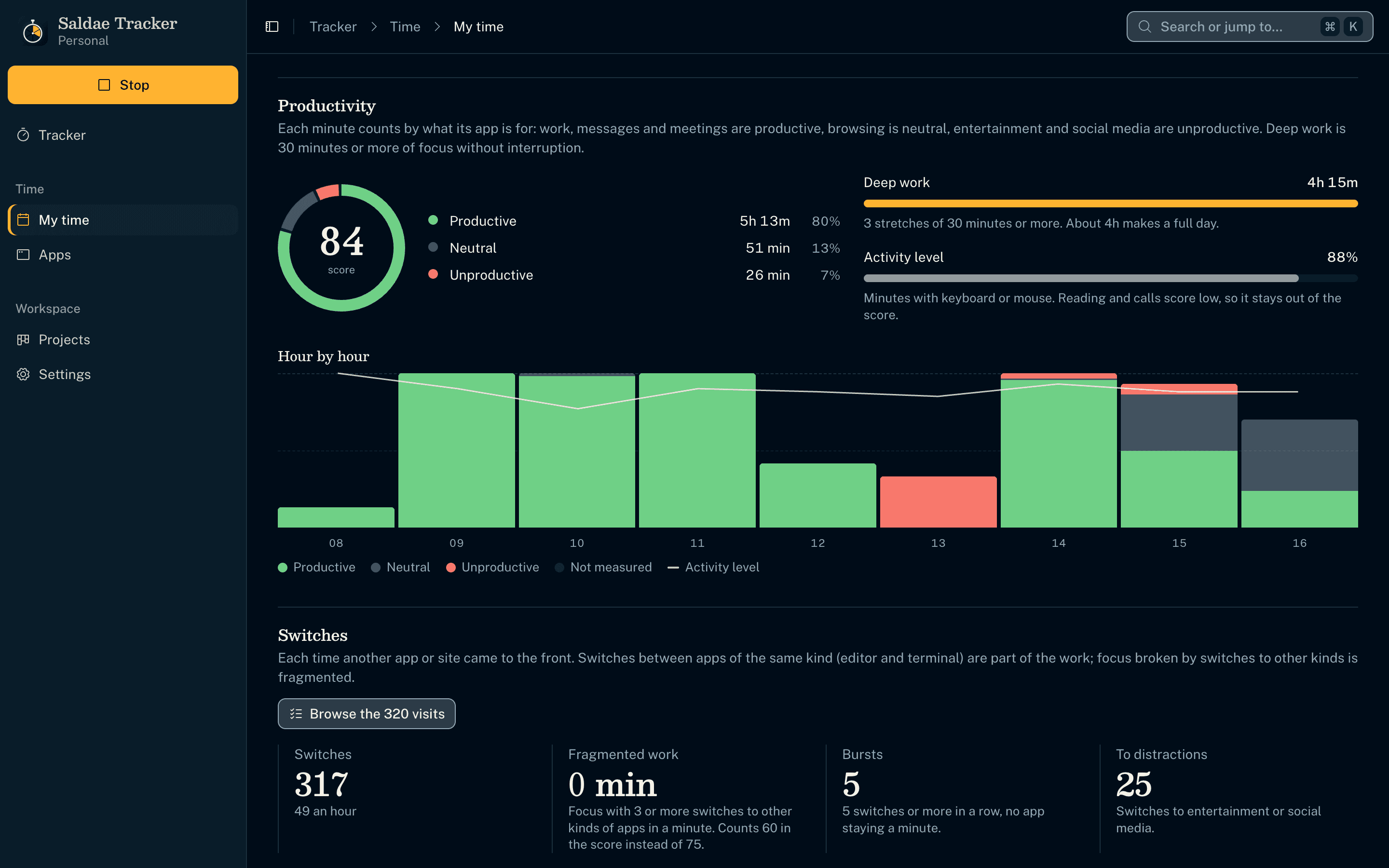
Productive or not, measured and explained
- Each minute counts by what its app is for (productive, neutral, unproductive); manual time and five minutes without input are not measured.
- Deep work is 30 minutes or more of focus without interruption; a score out of 100 weighs it most (RescueTime-style levels).
- Hour by hour, the time in its parts with the activity level drawn across, kept out of the score.
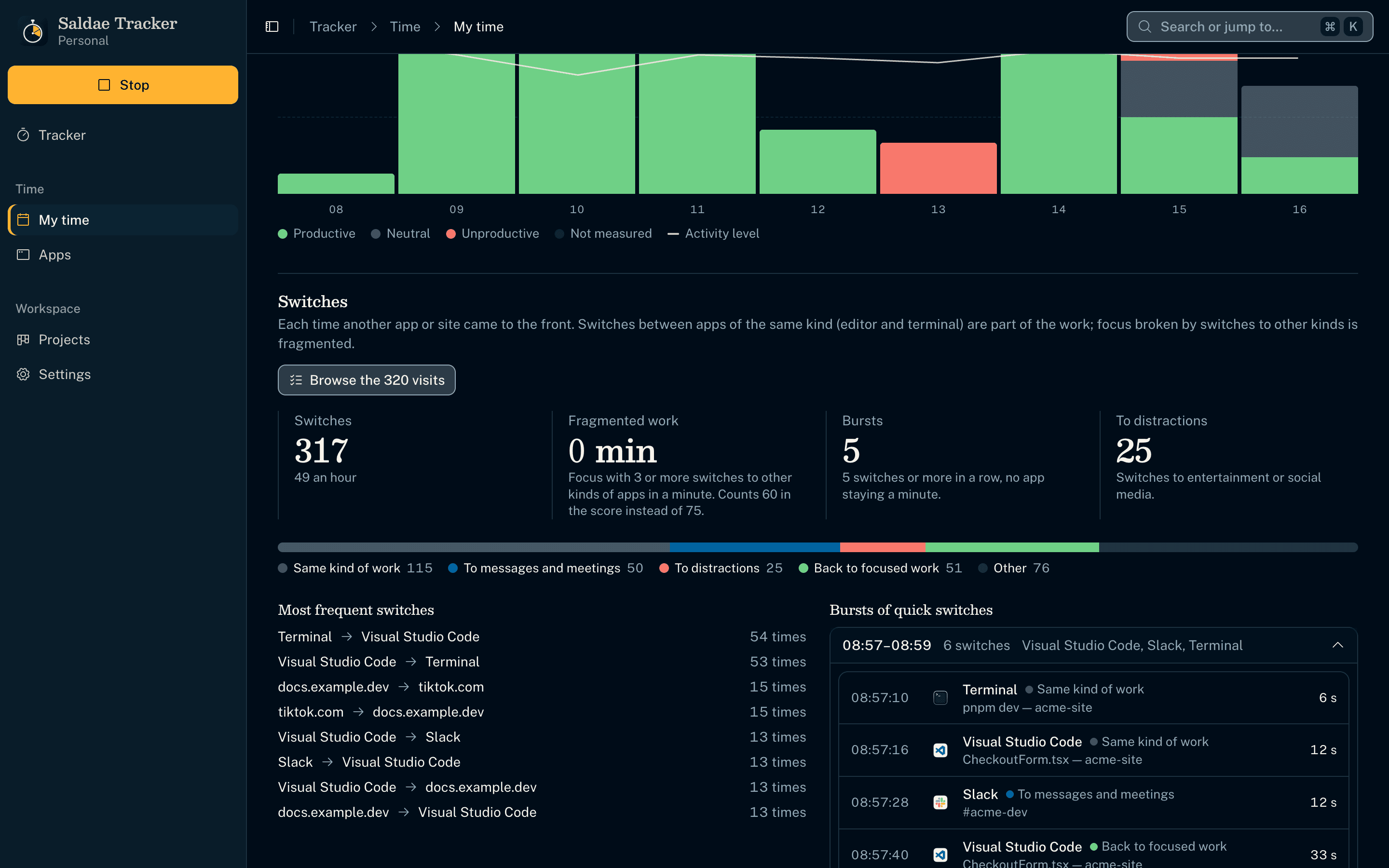
Every switch between apps, browsable
- Each minute records the apps in front in order, so the day's switches are counted and typed (same work, messages, distractions, back to focus).
- The pairs most switched between, bursts of quick switches, and every visit in order with how long it stayed.
- Focus broken by three switches to other kinds of apps in a minute is fragmented and weighs less in the score.
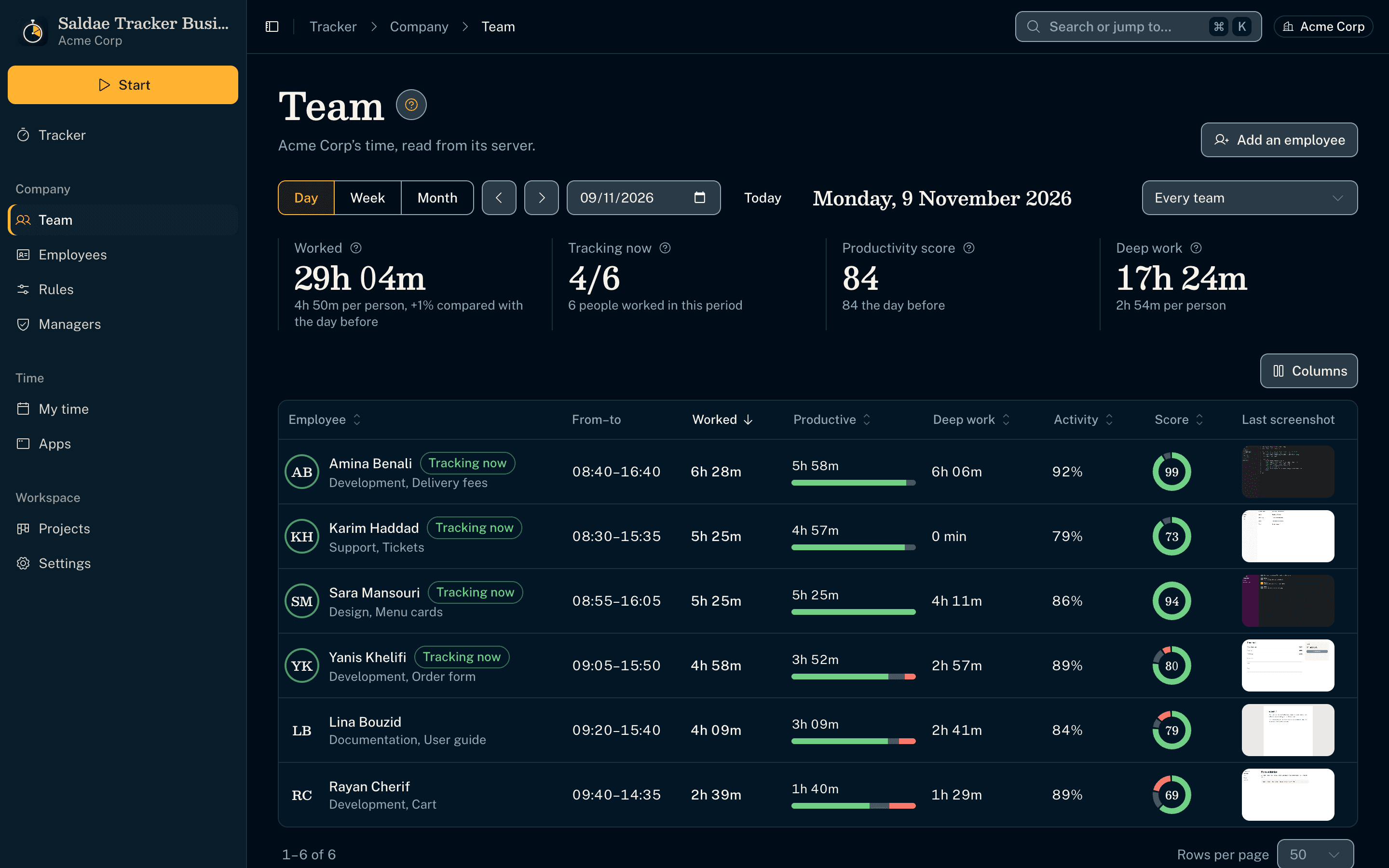
The team's day, in the manager's tracker
- With the server's manager key, the Business edition opens a Team View: hours, who tracks now, productivity score and deep work, compared with the day before.
- The team's hours in columns, productive time in green, the activity level across; a day or a week.
- Each employee's minutes are reviewed on the manager's computer by the same domain code as their own tracker; the server computes nothing.
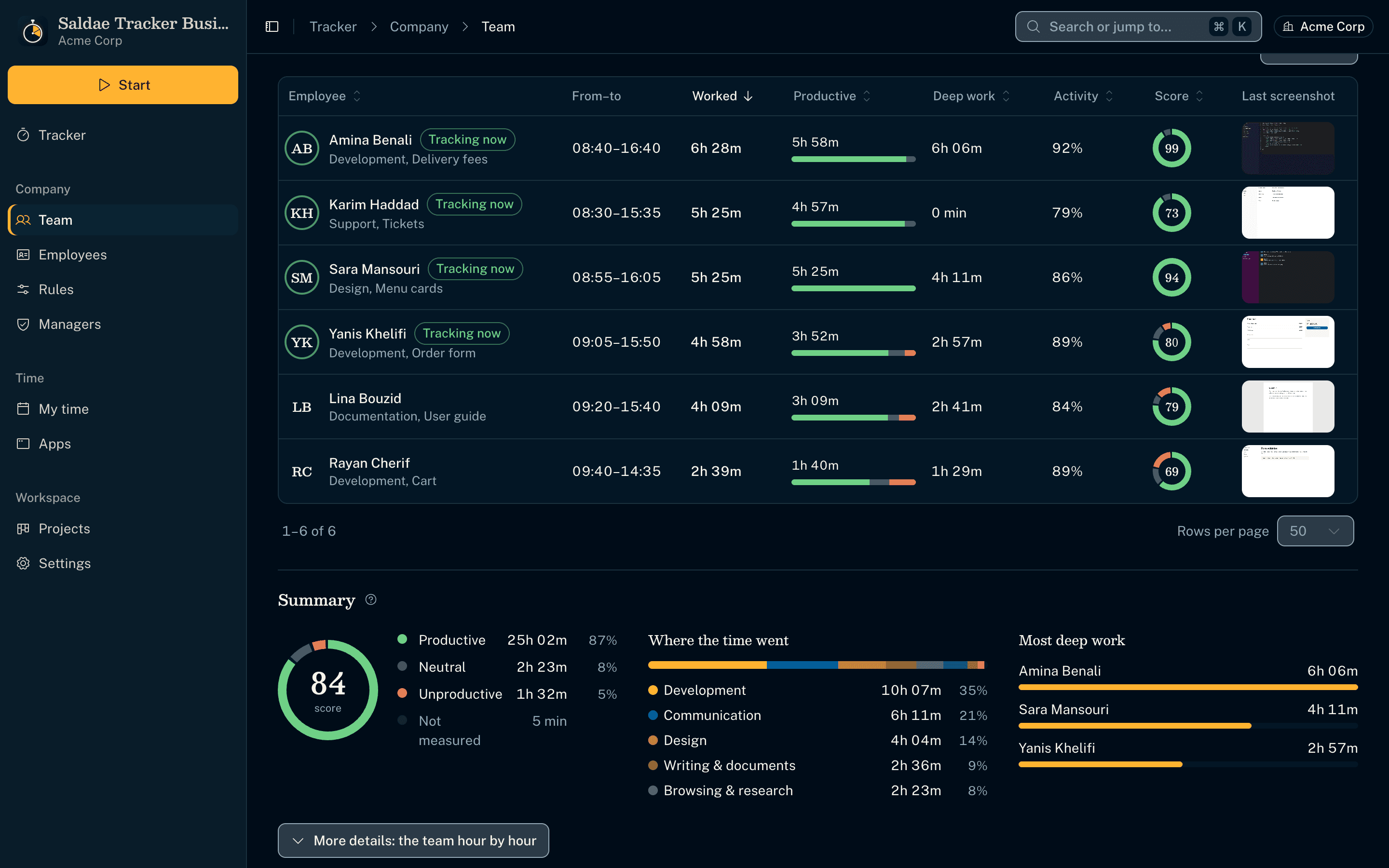
Every employee at a glance
- Hours, productive time, deep work, activity, score and last screenshot per employee, sortable.
- Where the team's time went by category; the most deep work rather than a ranking by activity.
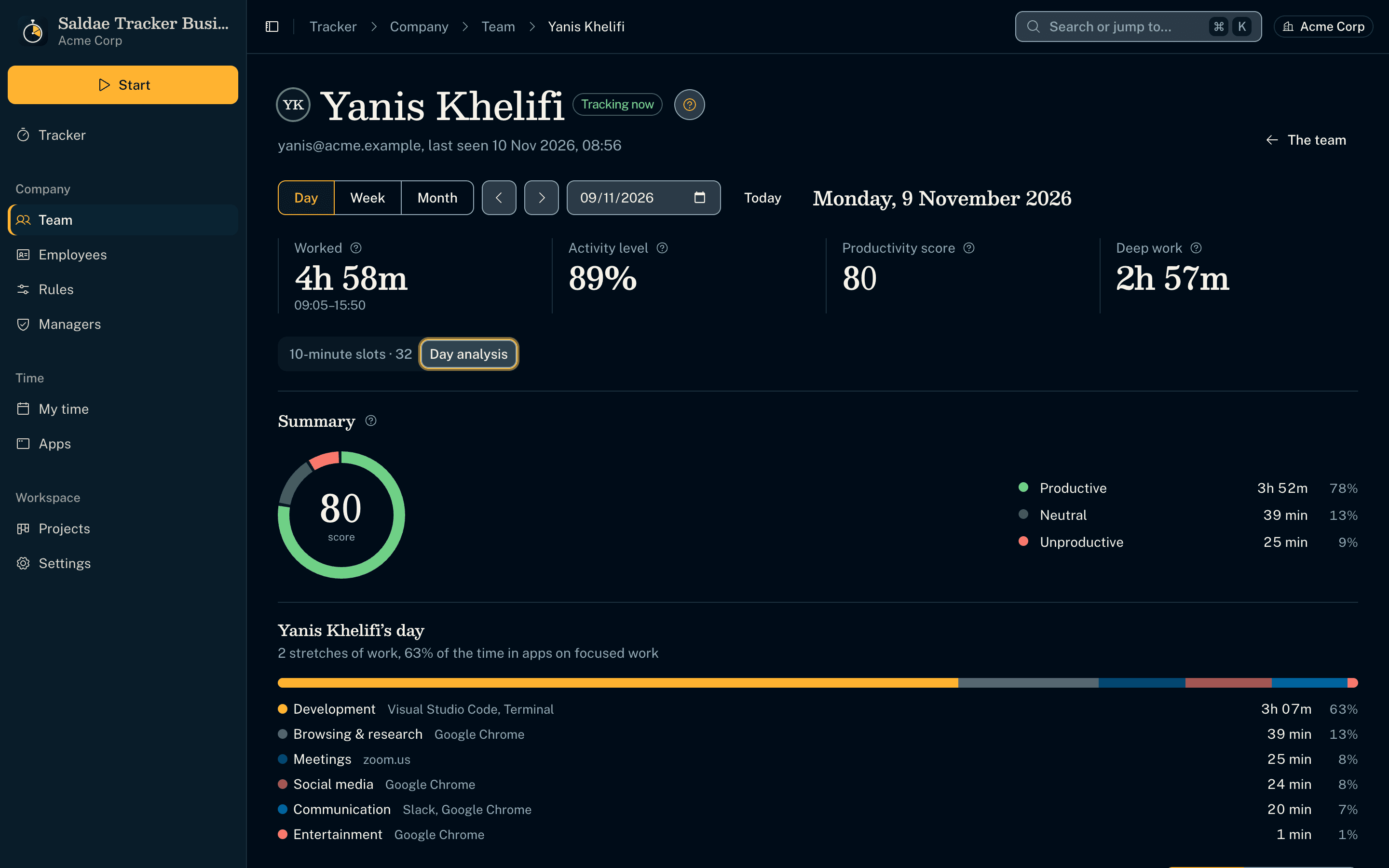
An employee's day, as they see it
- The same productivity card and day review their own tracker shows them, told in the third person.
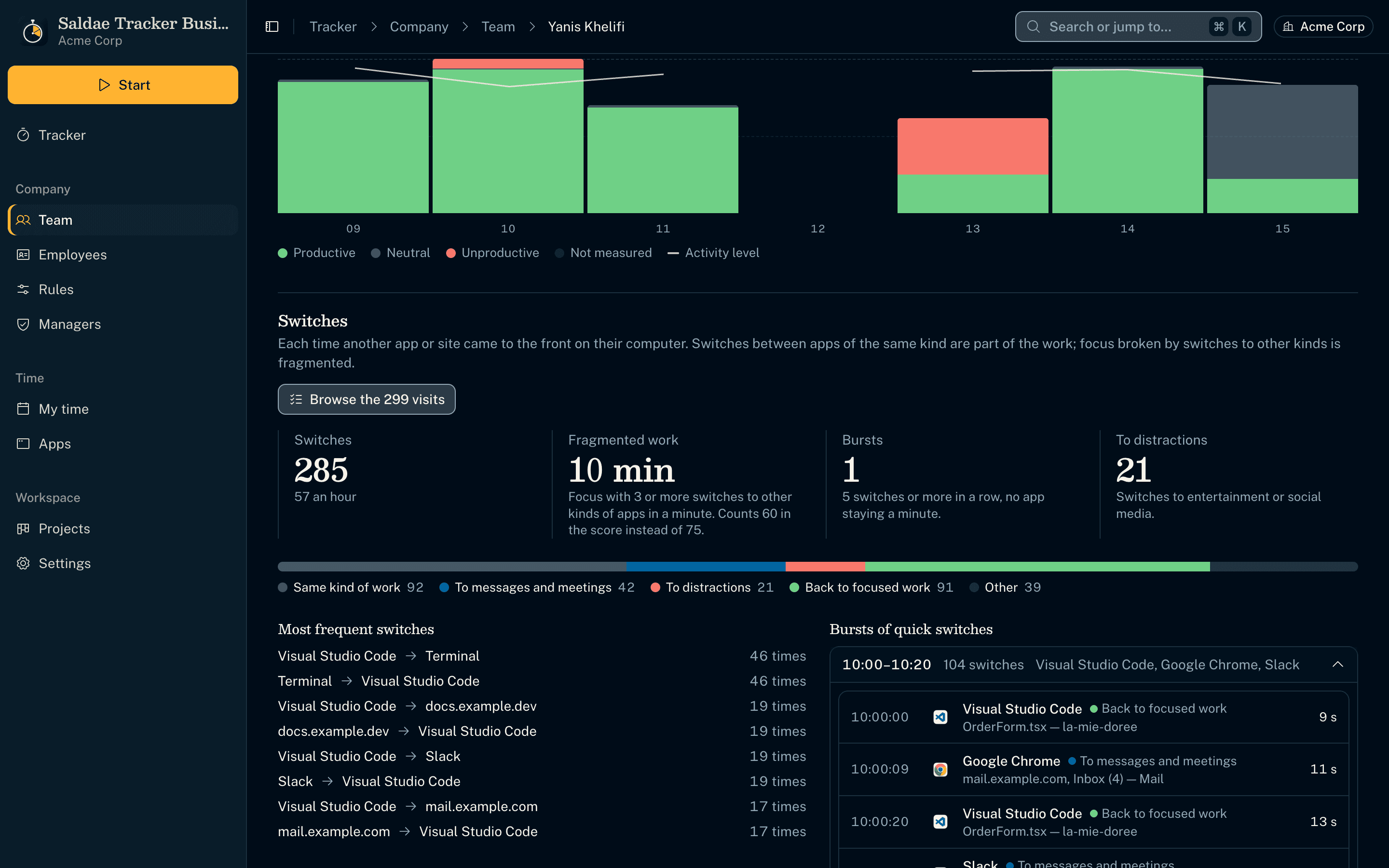
Their switches, burst by burst
- The sequence of apps reaches the server through an optional field of the published contract, so the manager browses it too.
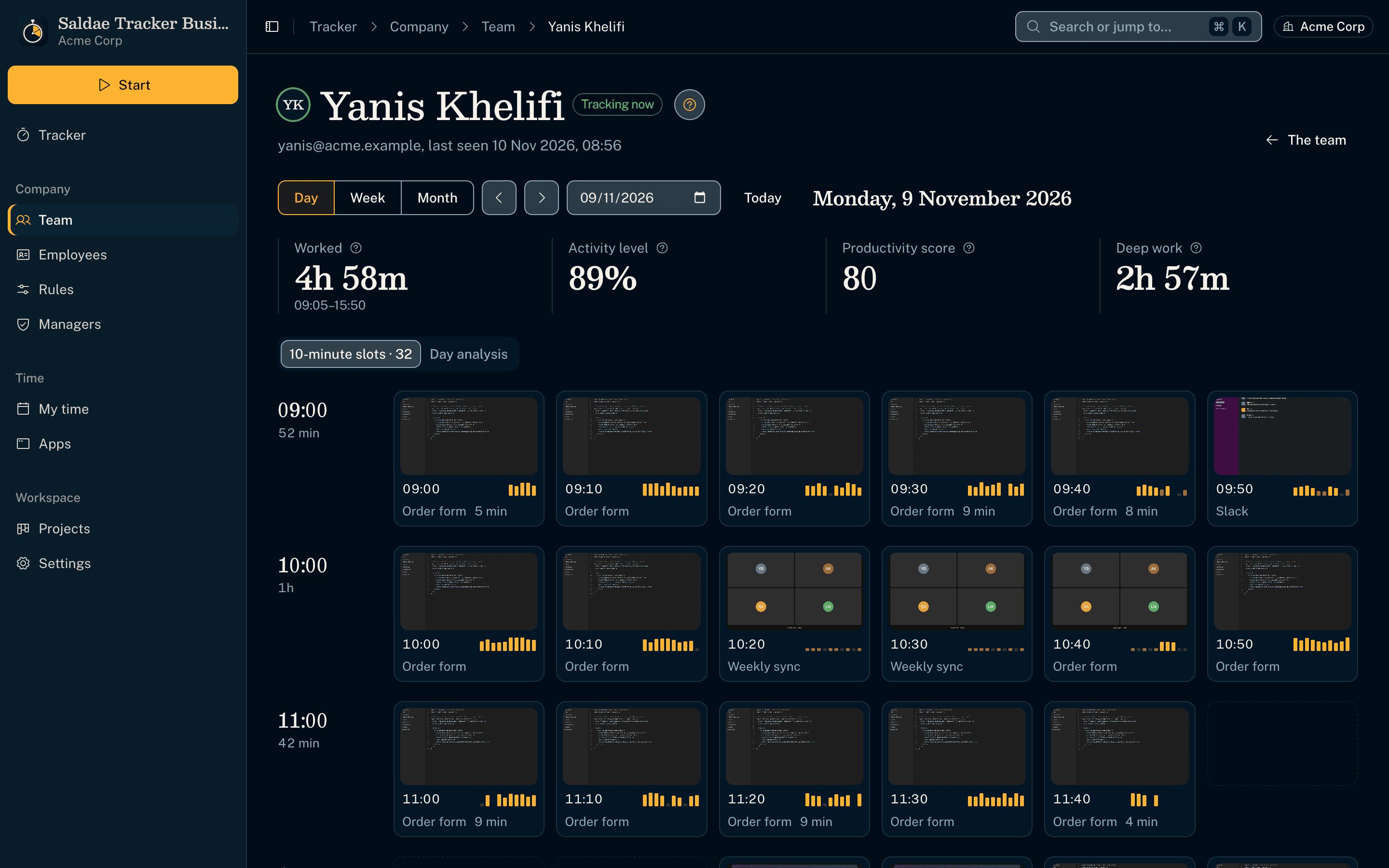
Their Work Diary with screenshots
- Every 10 minutes with its screenshot and activity bars, read from the company's server through a protocol of the app.
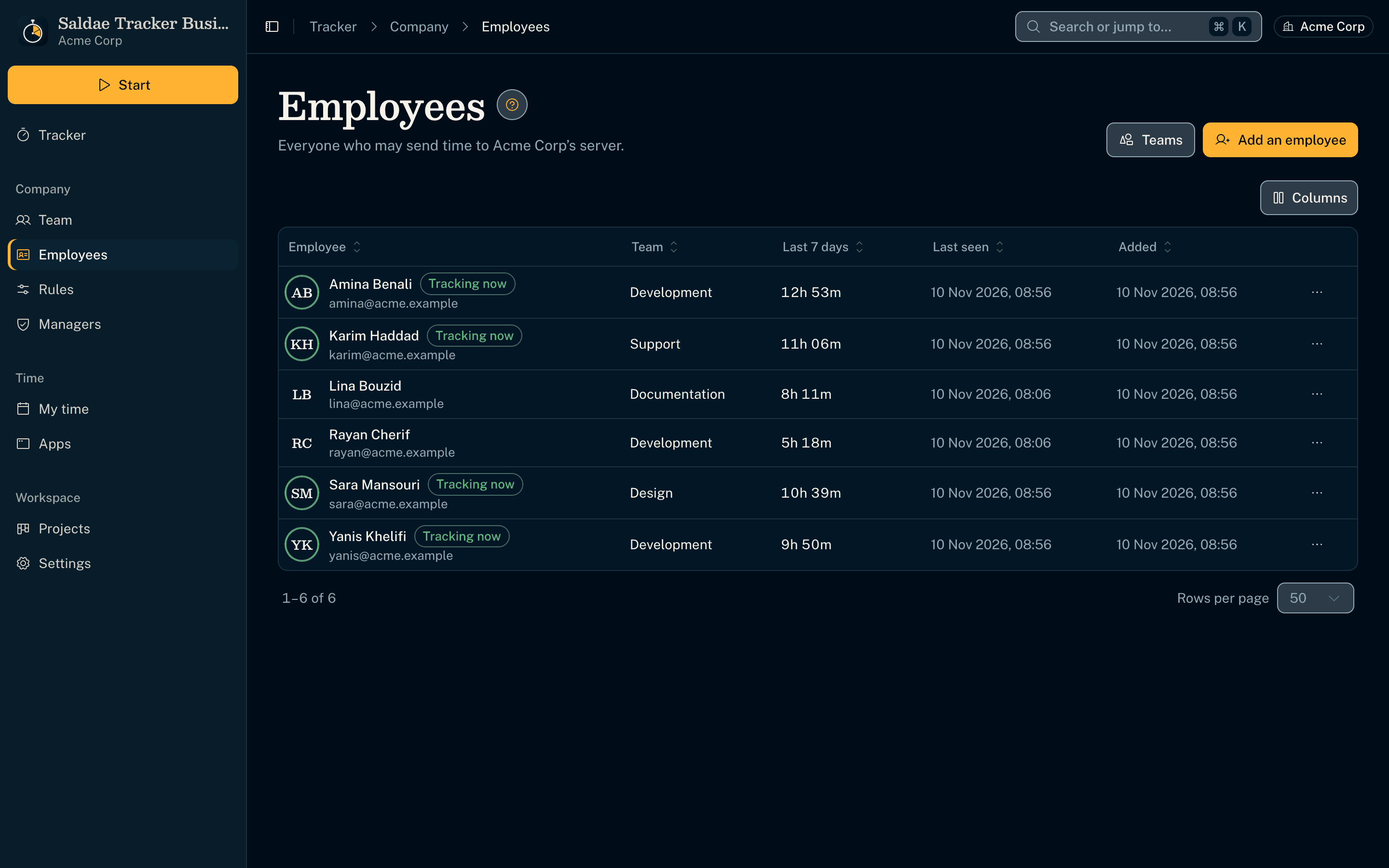
Employees, managed from the app
- Enrol, give a new token or revoke an employee from the manager's tracker, over a second published contract (Team admin v1).
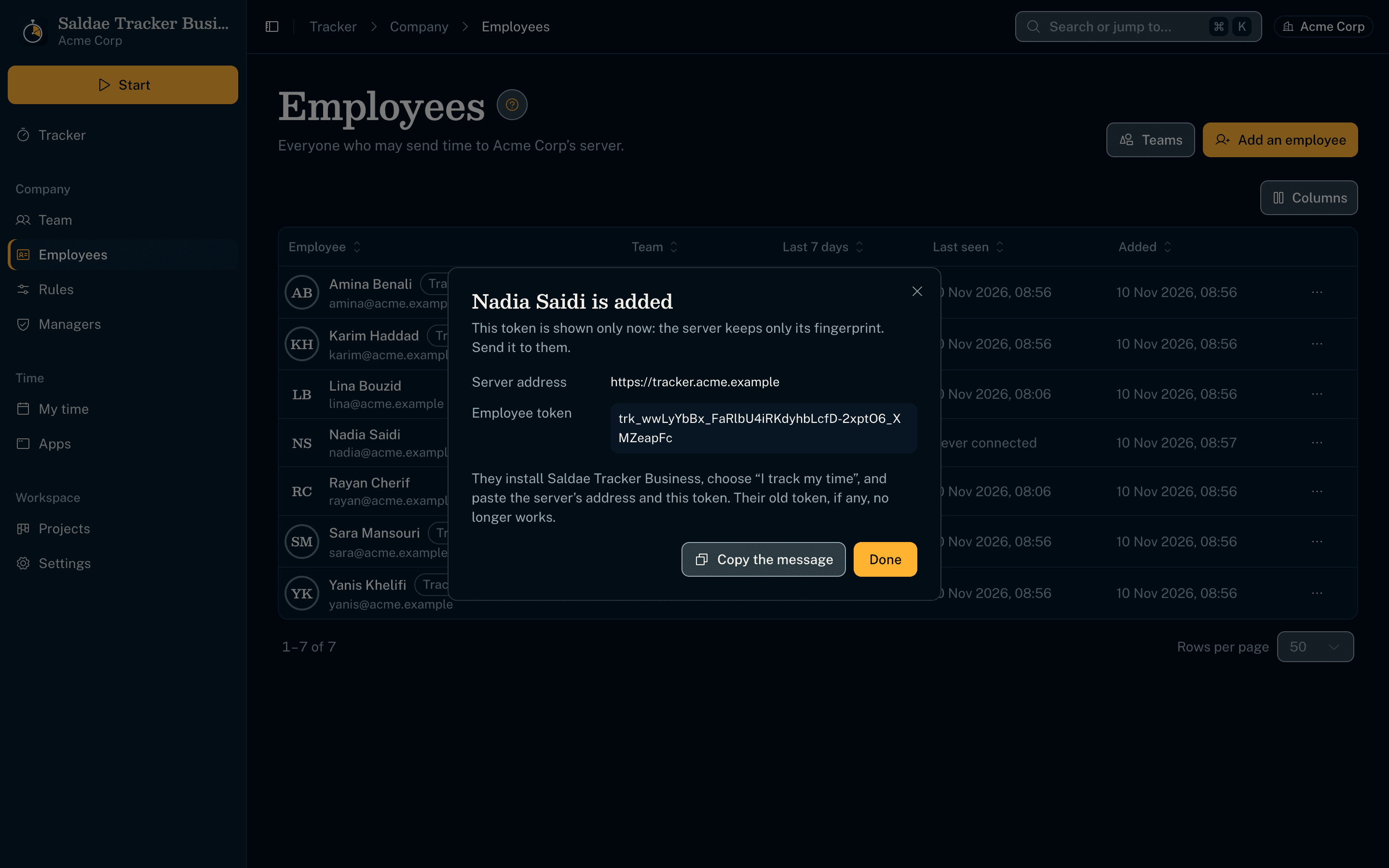
A token shown once, with the message to send
- The server keeps only the token's fingerprint; the manager copies a ready message with the address and the token.
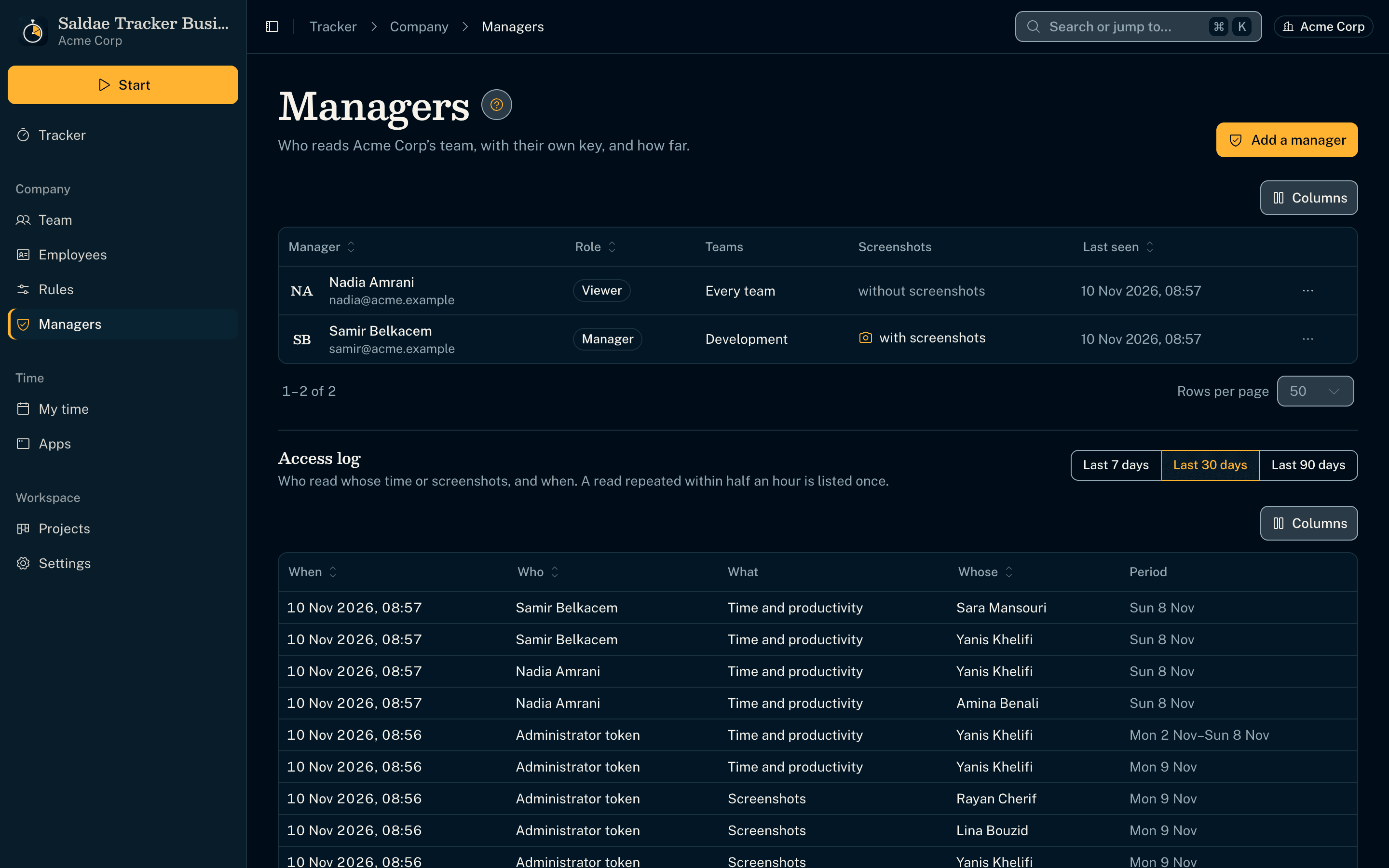
A key per manager, and an access log
- Each manager reads the team with their own key and role (viewer, manager, owner), over some teams or all, with or without screenshots; the server checks every route.
- The owner reads who read whose time or screenshots, logged once per half hour.
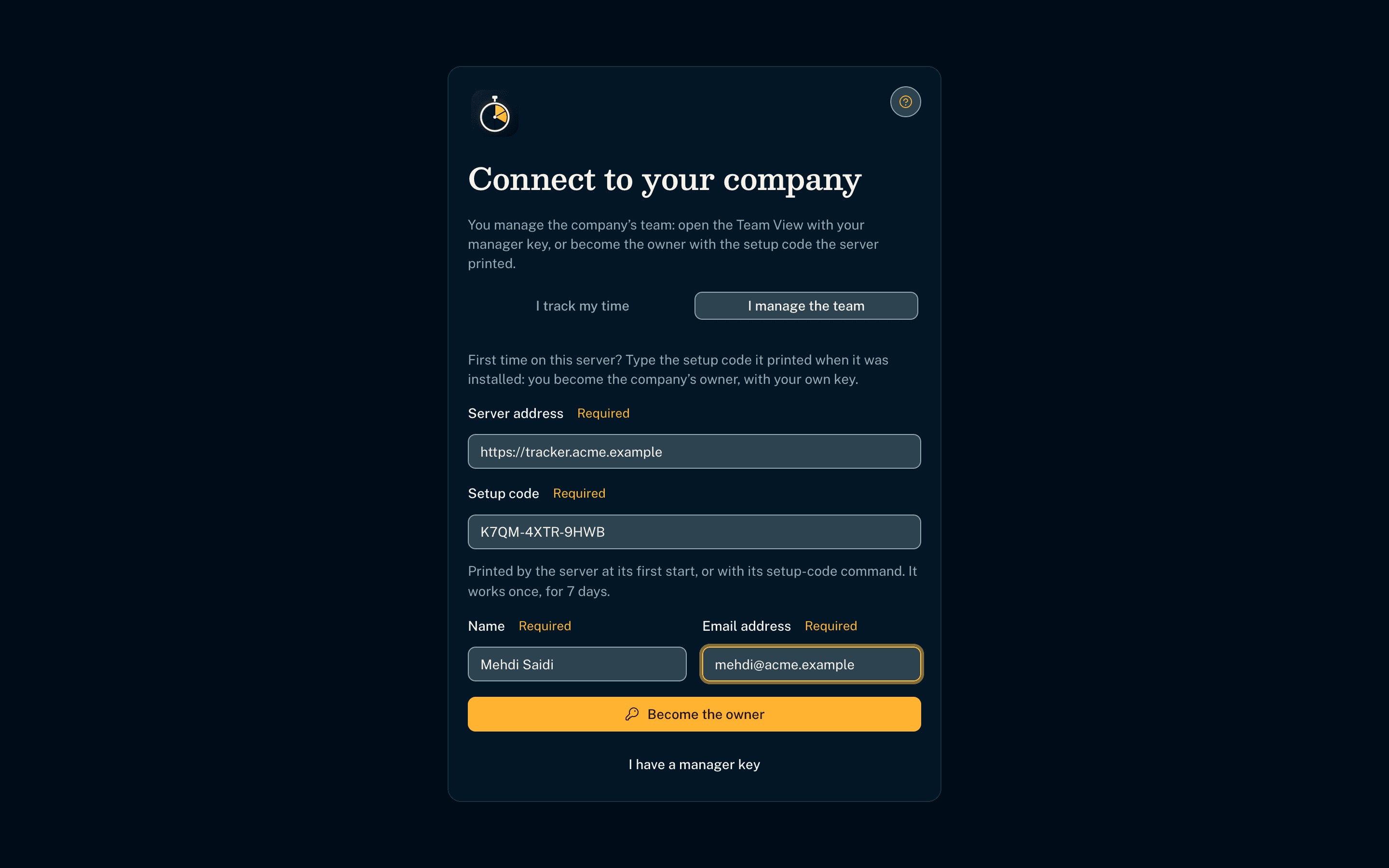
The first owner, from a one-time setup code
- The server prints a setup code at its first start; the company's owner types it in their tracker and gets their own owner key. The administrator token never leaves the server.
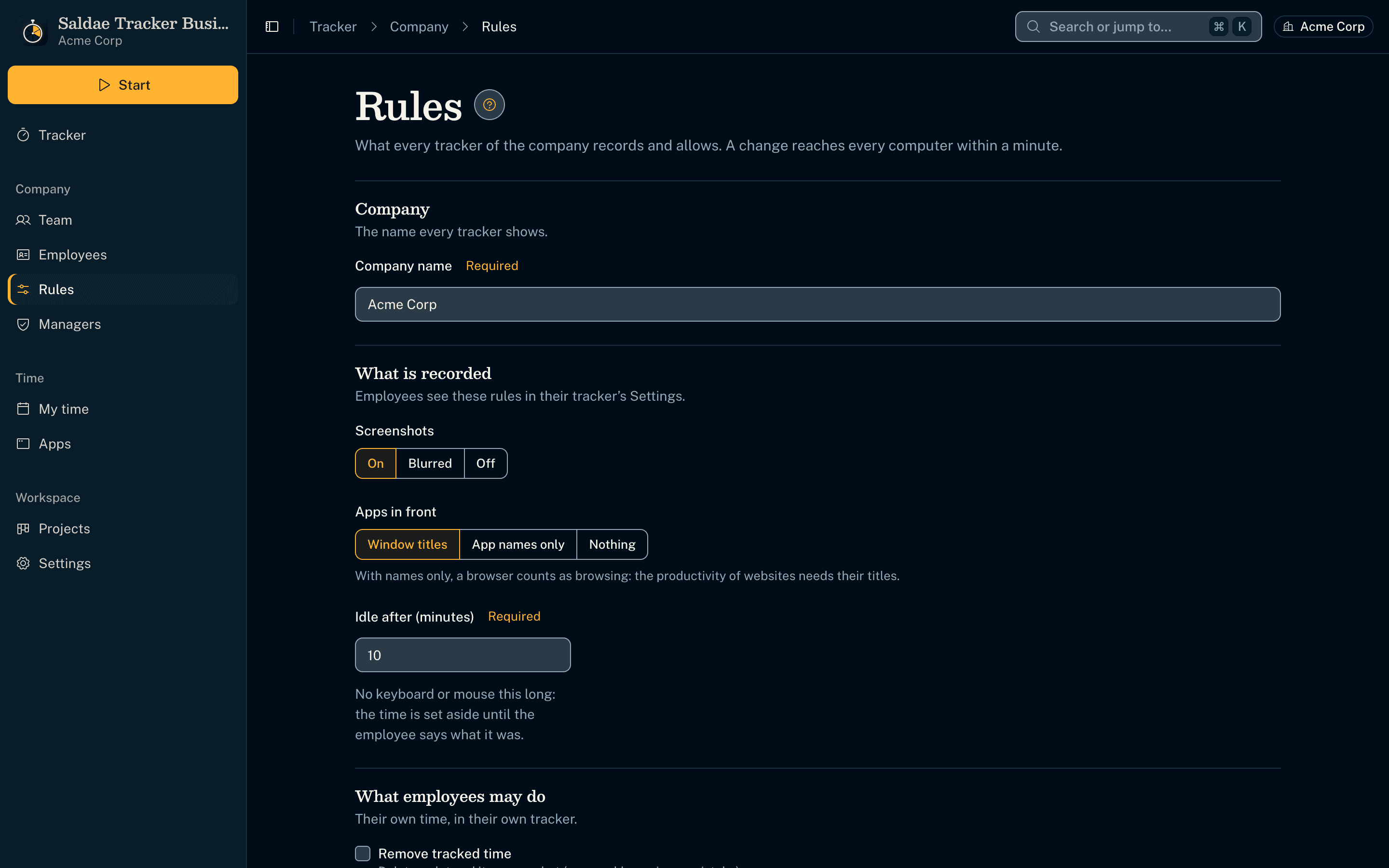
The company's rules, changed from the app
- The owner sets screenshots, idle time, recorded apps, removing time and manual time; the server answers them to every tracker within a minute, the environment giving the defaults.
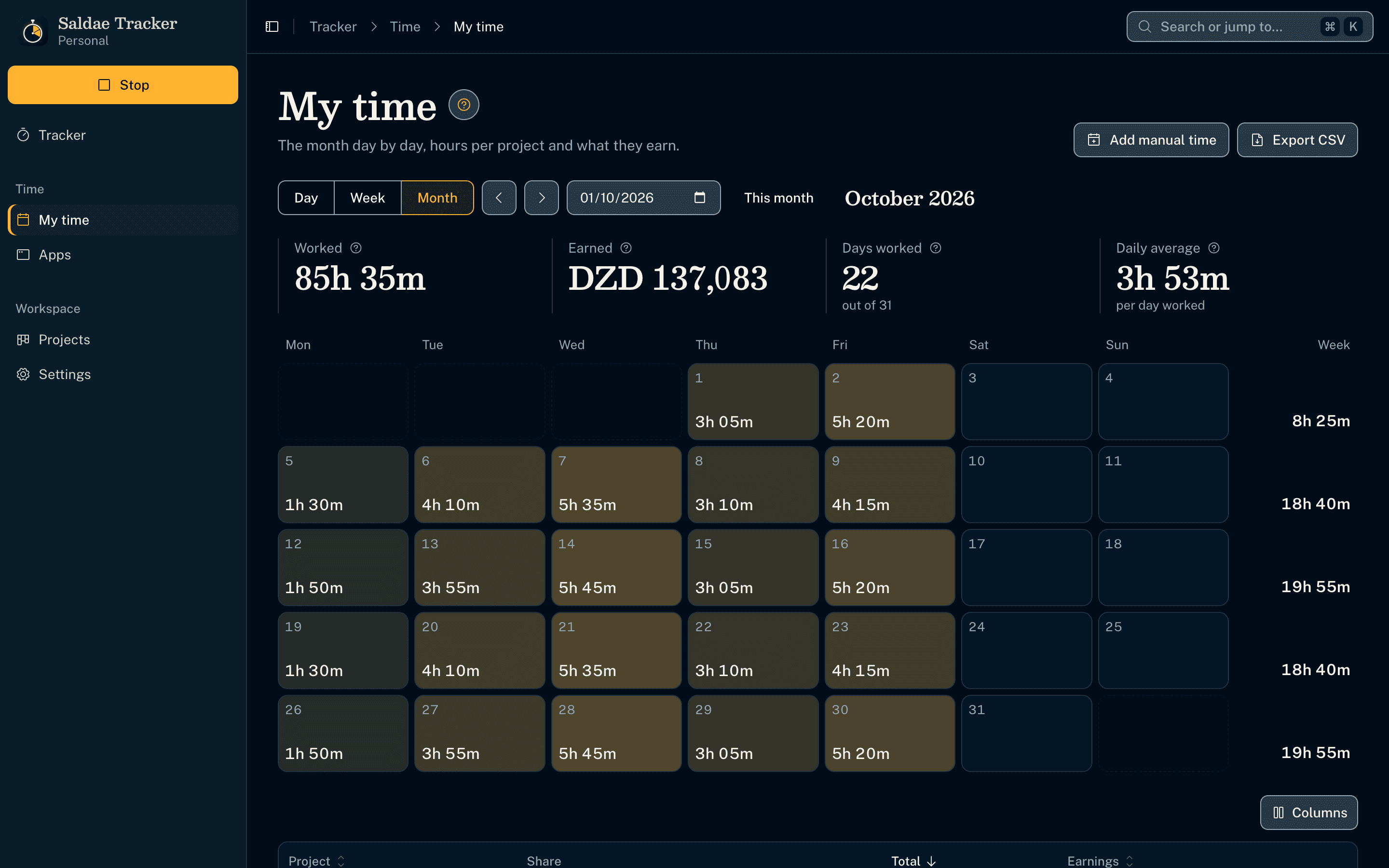
The month as a calendar
- Each day of the month shows its hours, brighter the more was worked, and each week its total; a day opens on its slots, a week's total on that week.
- Below, each project's hours, share and earnings for the month, exported as CSV like the week.
Implementation notes
- Built a desktop time tracker (Electron, macOS and Windows) on a DDD and clean architecture: 7 business modules (projects, tracking, reports, insights, team, management, storage), each in domain, application, infrastructure and interface layers, checked by an architecture test on every run
- Modelled the core domain as a Tracker aggregate turning 5-second activity readings into 10-minute Time Slots (seconds and input per minute, apps in front, one screenshot), with idle time set aside, sleep detected, and time assignable to a project after the fact
- Derived a day review by rules on the computer: work stretches described by memos or windows, a timeline, category shares (apps by name, browser tabs by site or title, the user's corrections first) and insights compared with a typical day
- Shipped two editions from one codebase, chosen when the installer is built: the Business one uploads its diary to a Hono and SQLite server the company runs on its own infrastructure, over a Zod-validated contract with revisions for idempotent, offline-safe uploads
- Measured productivity from research (RescueTime levels, Hubstaff's 30-minute focus, ActivTrak's multitasking): productive, neutral and unproductive time by category, deep work, fragmented work from the order of app switches recorded per minute, and a score out of 100
- Gave the employer a Team View in their own tracker: the team's day or week, each employee reviewed by the same domain code, their switches and screenshots, and employees enrolled or revoked over a second published contract
- Exposed every screen action to AI clients through an MCP server of 65 tools, with a test that fails when a screen action has no tool; reads the app in front through the get-windows package, with no native code
- Lets the user move the data folder (consistent SQLite copy, restart, safe cleanup); 16 architecture decision records, a ? guide with drawn scenes on every screen, 77 unit, 6 server and 3 end-to-end Playwright tests
Featured Projects
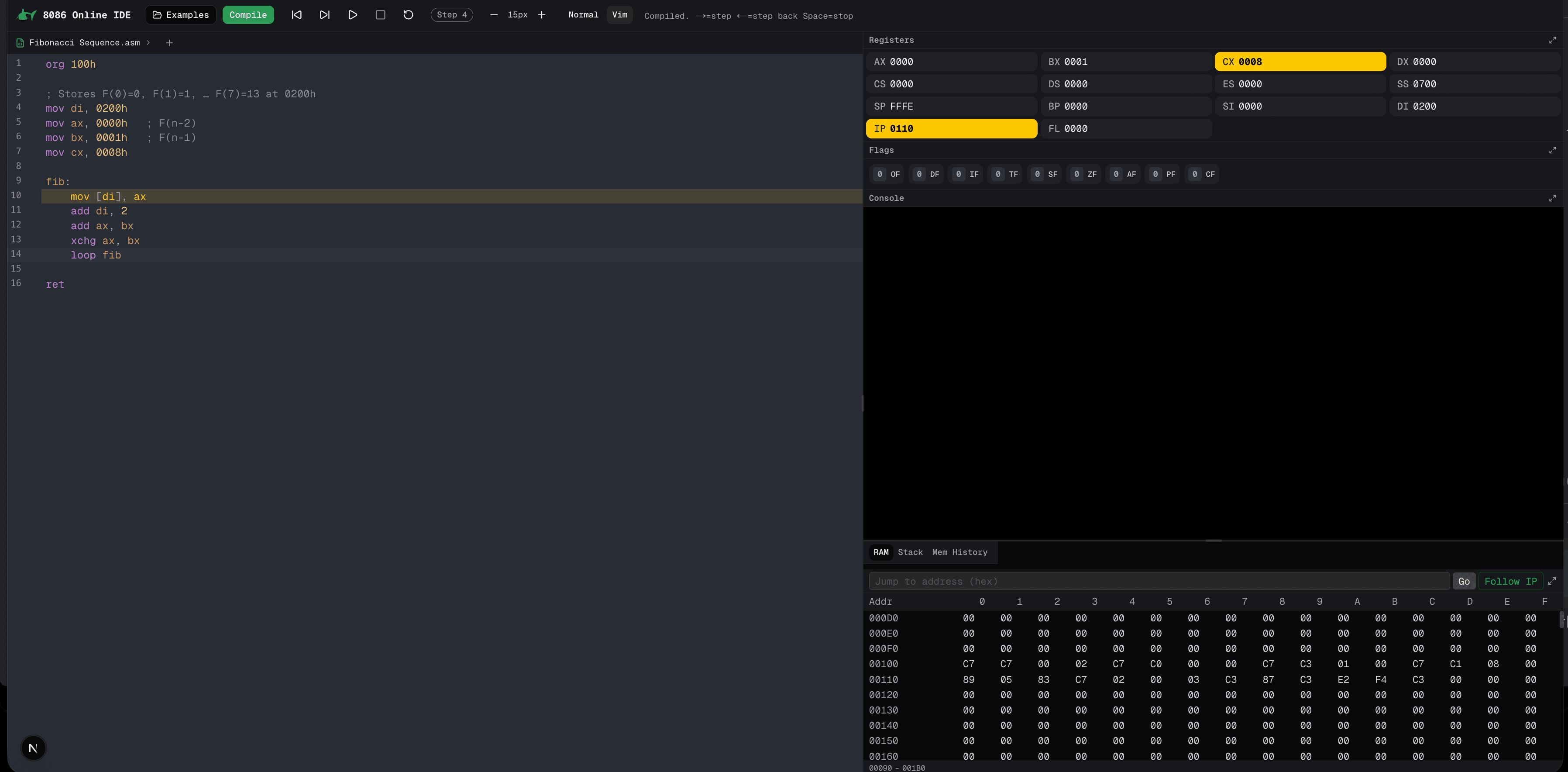
Open Source
8086 Processor Web Emulator
Open-source Intel 8086 emulator and assembler for the browser (Vanilla JS), built as a second year university project in a team of 6, featuring instruction set simulation and interactive debugging.
- JavaScript
- HTML
- CSS
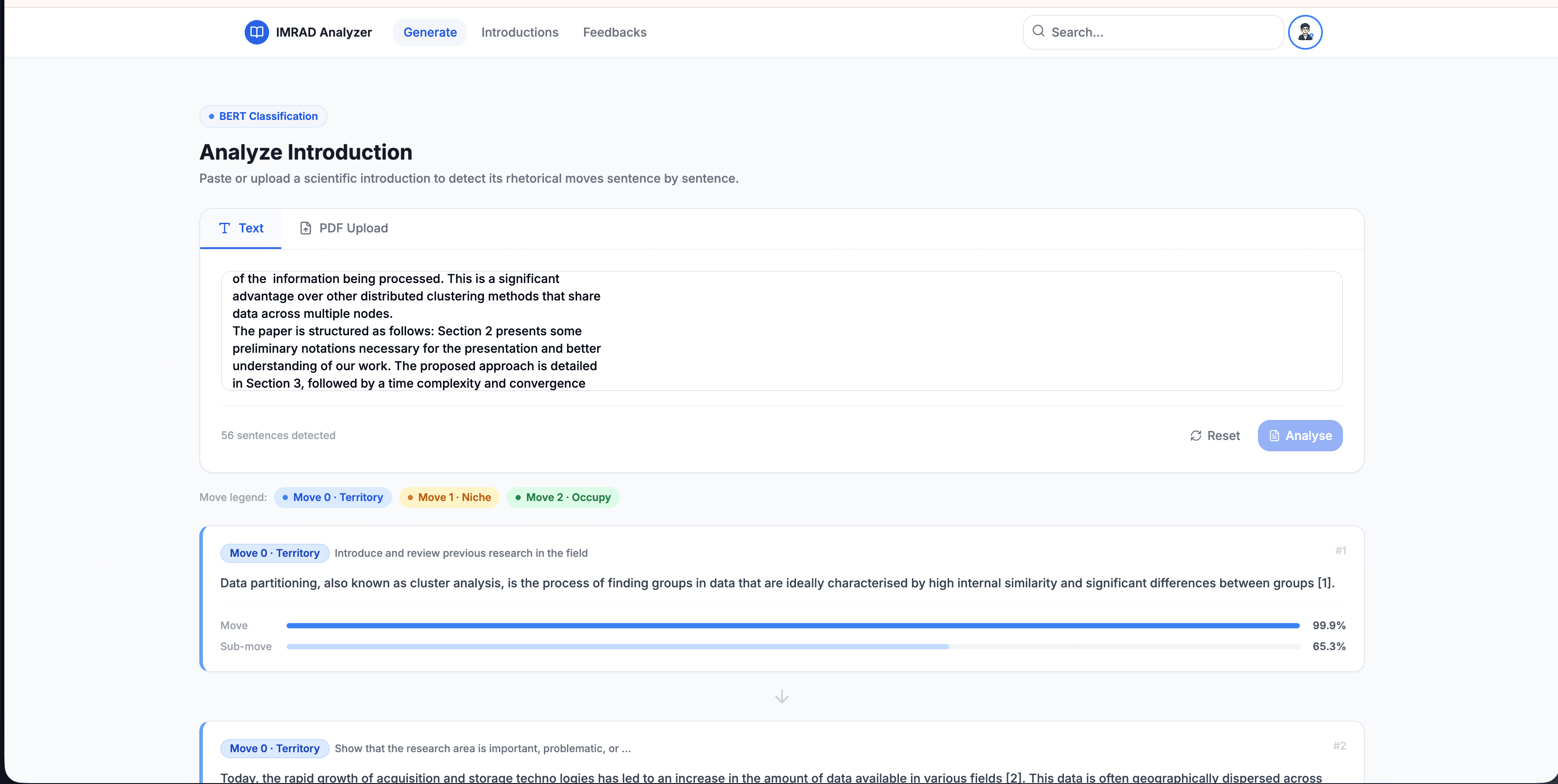
Thesis Project
IMRaD Analyzer: Distributed Microservices for Scientific Text Classification
An 8-node microservices platform leveraging BERT and Gemini Pro to classify scientific papers, using a custom 169k-sentence dataset to achieve a 98.21% peak F1-score.
- Next.js
- FastAPI
- BERT
- Gemini Pro
- TF Serving
Let's work together
I'm currently open to new roles, remote-first or international. If you're building something ambitious, I'd love to hear about it.